In subscription-based sales, boosting customer loyalty and encouraging long-term continued use are important challenges. One effective approach is introducing a membership rank system.
By setting membership ranks based on purchase frequency or cumulative purchase amount, and offering special discounts to higher-ranked members, you can expect to improve customer engagement and encourage repeat purchases.
For information on how to introduce a membership rank system in Shopify, please refer to the blog article below.

This article is for stores using Shopify Subscription to run subscription sales, and it introduces how to use the Shopify app "RuffRuff Order Bonus" to set up discounts on subscription products by membership rank.
Outcome

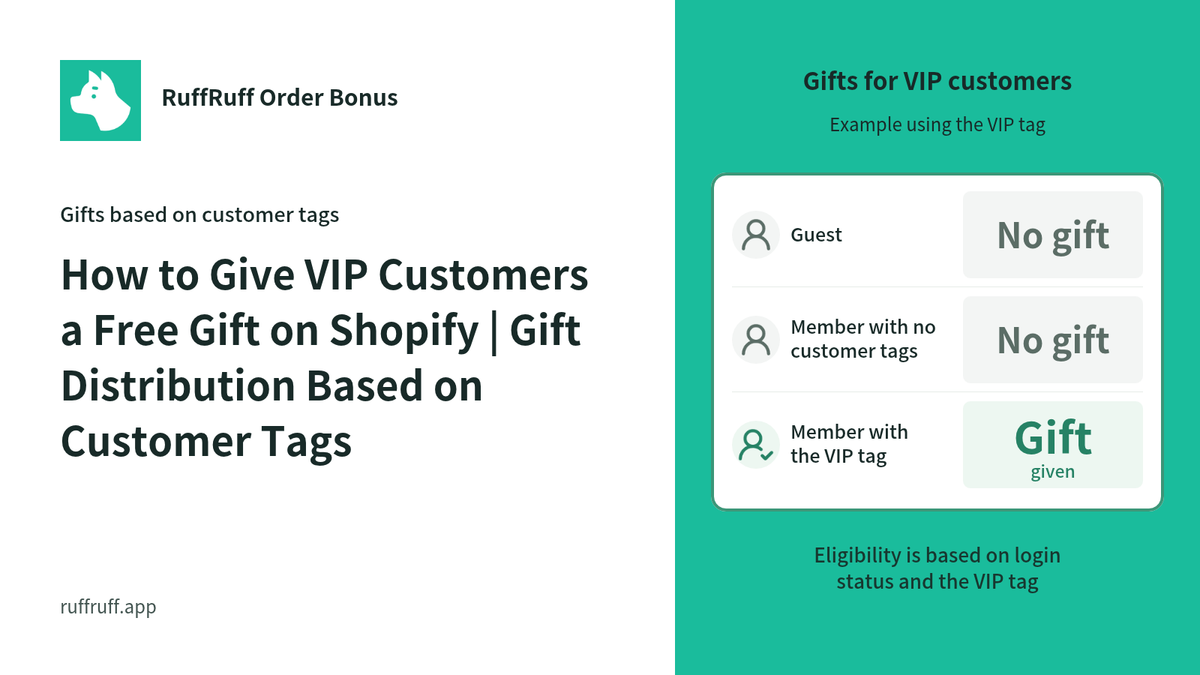
With the settings introduced in this article, subscription products will behave as follows depending on the member's status.
- Normal members (logged-in members): Subscription price
- Silver members (members with the Silver customer tag): 5% off the subscription price
- Gold members (members with the Gold customer tag): 10% off the subscription price
Prerequisites
- This article assumes you are using Shopify Subscription together with RuffRuff Order Bonus.
- It assumes you are already using Shopify Subscription to sell the target product(s) via subscription.
- It assumes you have already installed RuffRuff Order Bonus and completed the initial setup (including activating the embedded app and subscribing to a paid plan).
Setup instructions
Step 1: Create a discount campaign for Silver members

(1) Select "Discounts" from the left menu.
(2) Click "Create campaign" on the discount campaigns page

(3) Select "Automatic" under Application method
(4) Enter any name you like for Campaign name
This is the name used for management within the app.
(5) Enter any name you like for Discount title
This becomes the coupon code name displayed to users.
(6) Set the period you want to run the campaign for Active dates
If you want to start right away, set a date in the past.

(7) Add a "Customer tag" condition under Eligibility conditions
(8) Configure the Customer tag condition as follows
- Select "Contains all"
- Add the "Silver" tag

(9) Add "Product discount" under benefit settings
(10) Configure the Product discount as follows
- Select Percentage and enter 5%
- Set the subscription product as the target product

(11) Check "Apply to subscriptions" under Restrictions
(12) Under Number of recurring orders to apply to, select "Apply to all recurring orders"
(13) Click "Save"
Step 2: Create a discount campaign for Gold members
(1) Select "Discounts" from the left menu.
(2) Click "Create campaign" on the discount campaigns page

(3) Select "Automatic" under Application method
(4) Enter any name you like for Campaign name
This is the name used for management within the app.
(5) Enter any name you like for Discount title
This becomes the coupon code name displayed to users.
(6) Set the period you want to run the campaign for Active dates
If you want to start right away, set a date in the past.

(7) Add a "Customer tag" condition under Eligibility conditions
(8) Configure the Customer tag condition as follows
- Select "Contains all"
- Add the "Gold" tag

(9) Add "Product discount" under benefit settings
(10) Configure the Product discount as follows
- Select Percentage and enter 10%
- Set the subscription product as the target product

(11) Check "Apply to subscriptions" under Restrictions
(12) Under Number of recurring orders to apply to, select "Apply to all recurring orders"
(13) Click "Save"
Step 3: Activate the discount campaigns

(1) Select "Discounts" from the left menu.
(2) Check the discount campaigns you created in Step 1 and Step 2
(3) Click "Activate"

(4) Confirm that the status has switched to "Active"
Step 4: Verify the behavior
(1) Add the subscription product to the cart as a regular member

(2) Confirm that no discount is applied to the subscription product
(3) Add the subscription product to the cart as a Silver member

(4) Confirm that a 5% discount (coupon code SILVER_5OFF) is applied to the subscription product
(5) Add the subscription product to the cart as a Gold member

(6) Confirm that a 10% discount (coupon code GOLD_10OFF) is applied to the subscription product
Once everything behaves as expected, the testing is complete.
Frequently asked questions
Can I change the number of times the discount applies to subscription products?
Yes, you can.
You can adjust the number of applications by changing the setting for "Number of recurring orders to apply to." The differences between the settings are as follows.
- Apply to the first recurring order only: The discount is applied only to the first recurring order.
- Apply to multiple recurring orders: The discount is applied from the first recurring order up to the number of times you specify.
- Apply to all recurring orders: The discount is applied to recurring orders with no limit.
Can I apply discounts other than Product discount?
Yes, you can.
You can also use "Order discount" or "Shipping discount," and you can combine multiple discount types together — for example, "Product discount + Order discount."
However, please note that if you set "Shipping discount" to something other than free shipping (i.e., a Percentage other than 100%), the only option available for "Number of recurring orders to apply to" becomes "Apply to the first recurring order only."
Can I apply discounts if membership rank is managed via customer metafields?
Yes, you can.
Please create the discount campaign using "Customer metafield" under Eligibility conditions.
Can I apply discounts with subscription apps other than Shopify Subscription?
In some cases, yes.
We have only tested "定期購買" and "Go Sub." Discounts worked correctly with both apps.
If you are using a subscription app other than those listed above, we apologize for the inconvenience, but please carry out your own testing to confirm compatibility.
In closing
In this article, we introduced how to use RuffRuff Order Bonus to vary subscription product prices by membership rank.
This setup can increase customers' motivation to purchase and give them an incentive to aim for a higher rank. It also lets you build long-term customer relationships by offering appropriate benefits to your loyal customers.
Make effective use of a membership rank system to help grow your subscription sales.


![[Shopify] How to Offer Exclusive Sales for LINE Members | Using CRM PLUS on LINE × RuffRuff Pre Order](http://ruffruff.app/cdn/shop/files/exclusive-sales-conducted-for-line-members-using-crm-plus-on-line-en-thumbnail-20261028-b7.png?v=1793178536&width=1600)
![[Shopify] How to Run Exclusive Sales for LINE-Linked Members | A Use Case of Lipify × RuffRuff Pre Order](http://ruffruff.app/cdn/shop/files/exclusive-sales-conducted-for-line-members-using-lipify-en-thumbnail-20261028-b7.png?v=1793178525&width=1600)