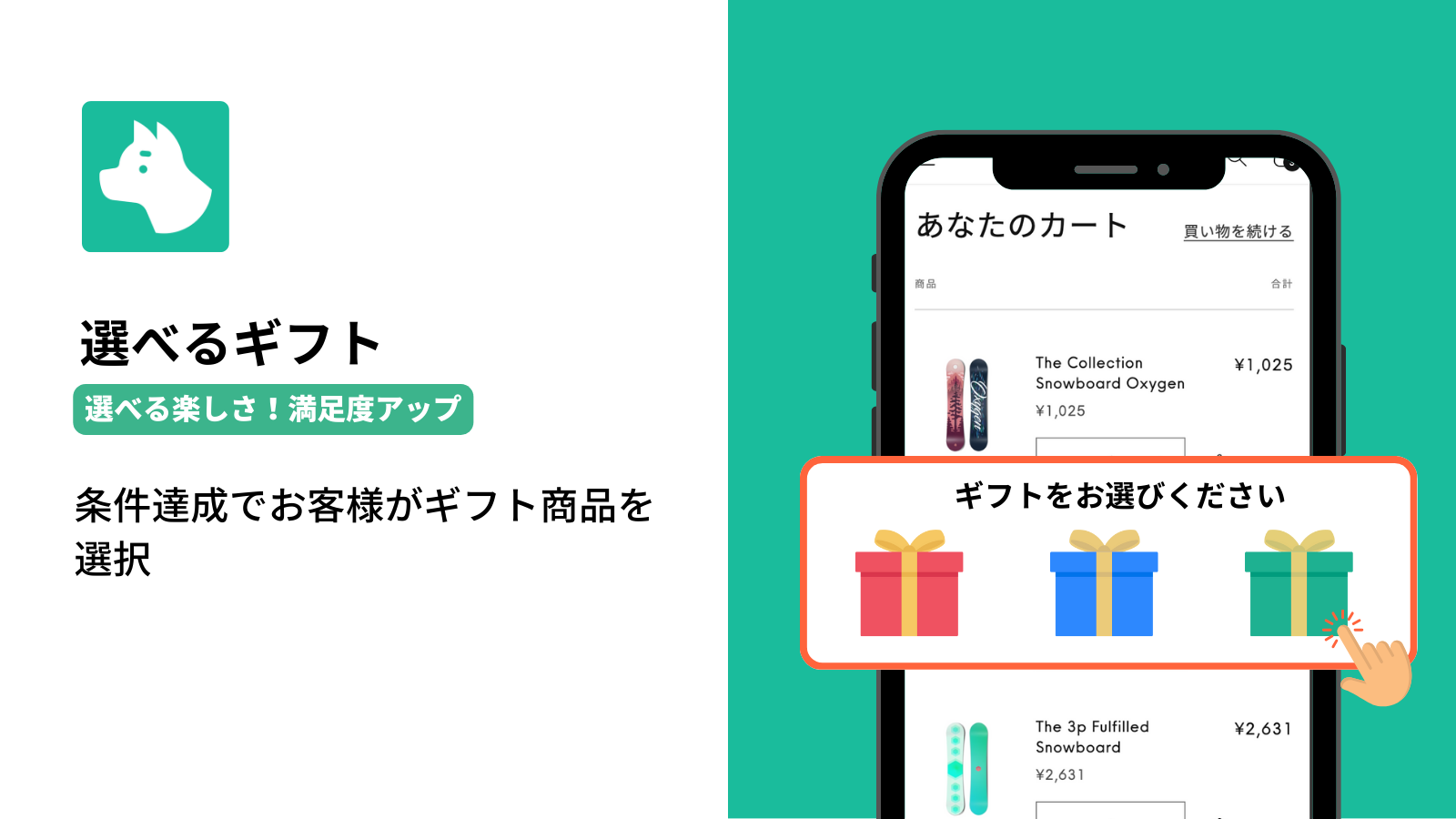
1万円以上で好きなノベルティを選べる
Whenカート小計1万円以上
Benefitお客様が候補からギフトを選択
View setup notes
選べるギフトはお客様の選択が必須で、カートへ自動追加されません。


RuffRuff Order Bonus
Maximize your LTV with automated gift & discount campaigns.
First purchase incentive app from Japan to earn the "Built for Shopify" badge.
A premium-quality app that meets Shopify's rigorous standards for speed, design integration, accessibility, and merchant value.
Automatically apply discounts and distribute gifts based on your conditions. Reduce the work of checking and adding rewards to each order.
Post-order gifts and recovery for missed gifts are also supported. Keep your promotions running with a distribution method that fits your store.
Launch volume discounts, gift distributions, free shipping, member-exclusive offers, and any campaign you can imagine instantly.
Enhance appeal by displaying offers to specific members or products only, show comparative pricing, and easily execute complex strategies by freely combining conditions.
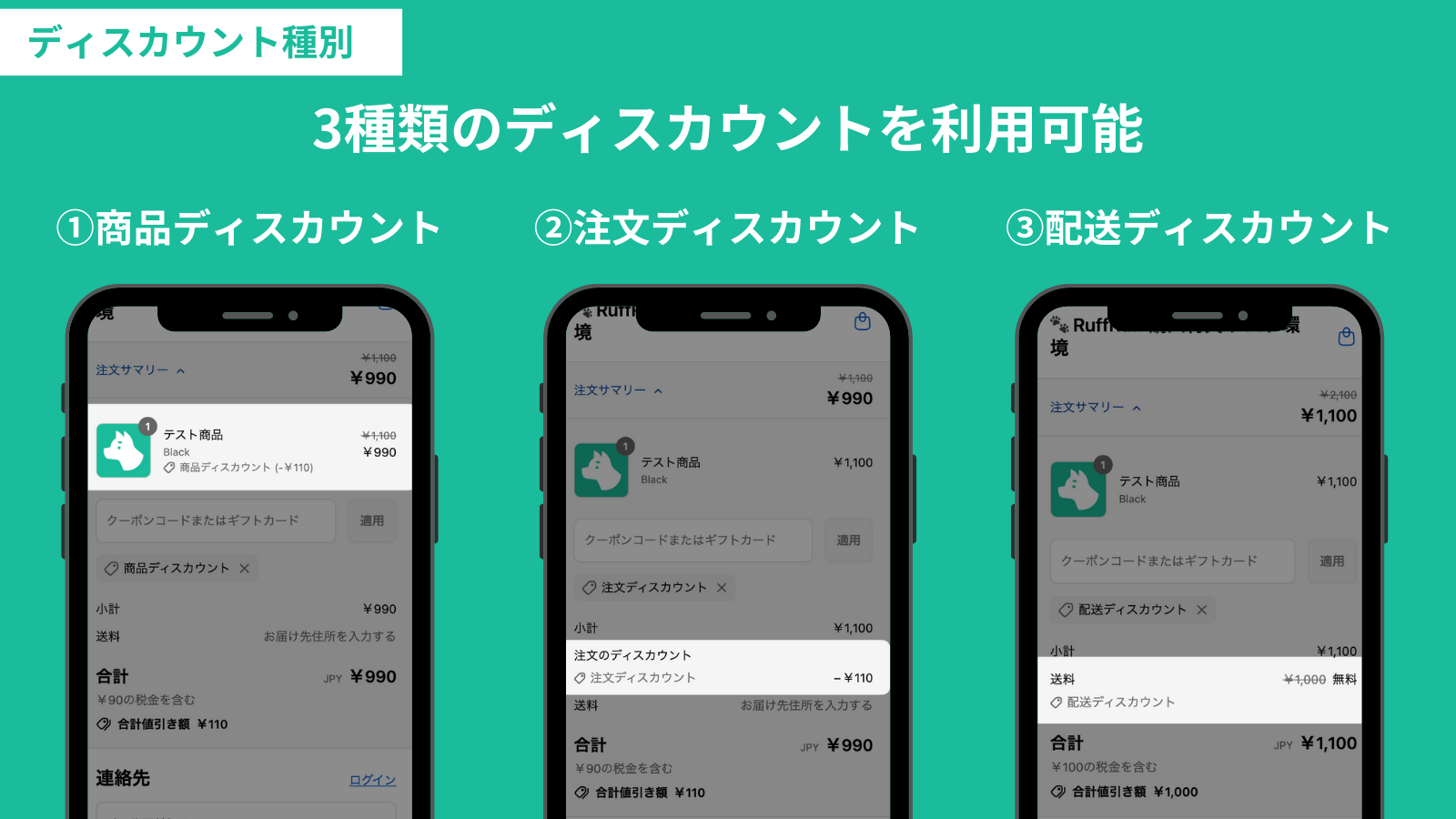
Selectable discount types
You can implement 3 types of discounts: Product discount, Order discount, and Shipping discount.
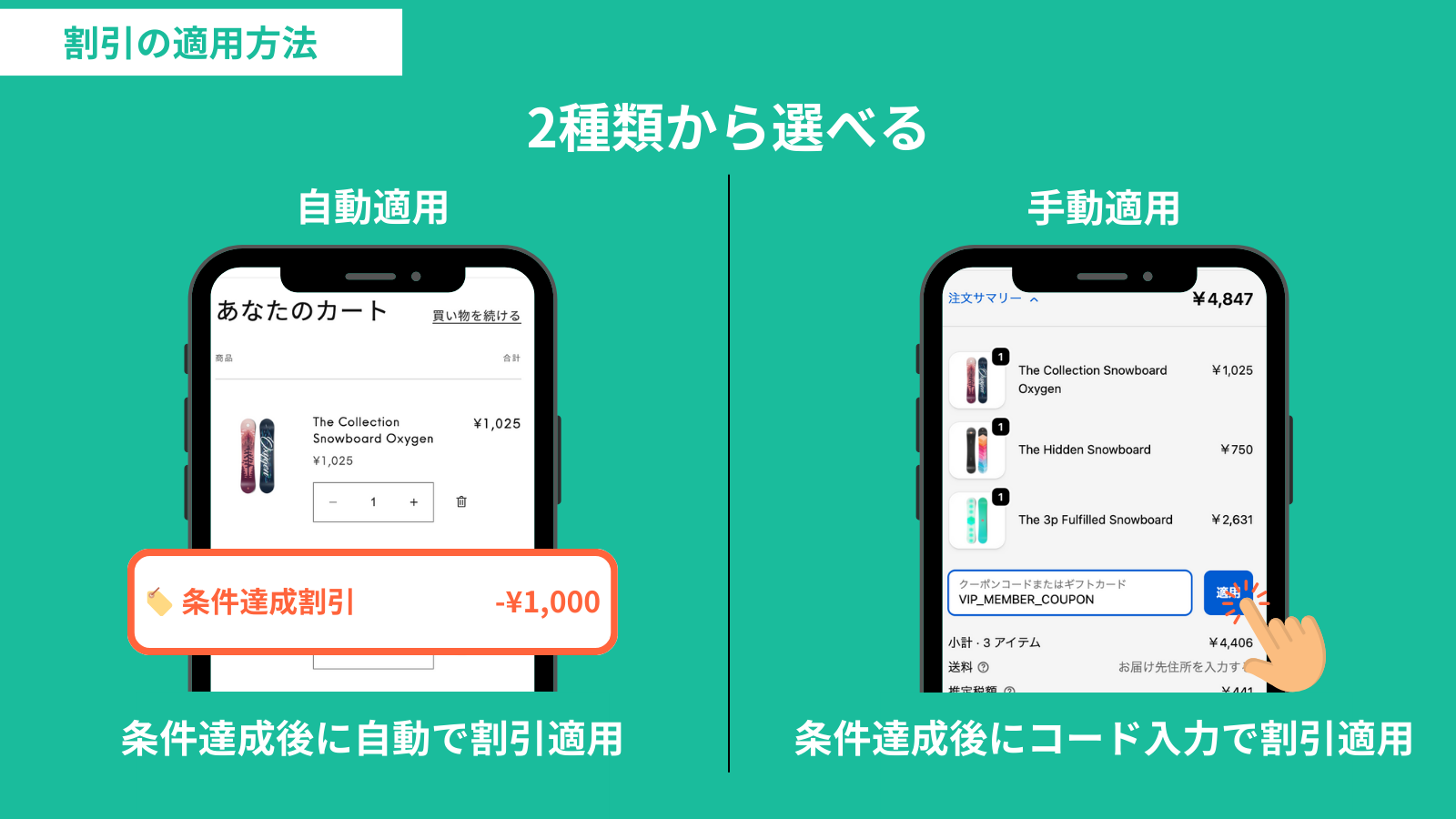
Selectable application methods
You can choose the Method for applying the discount from Automatic and Manual.
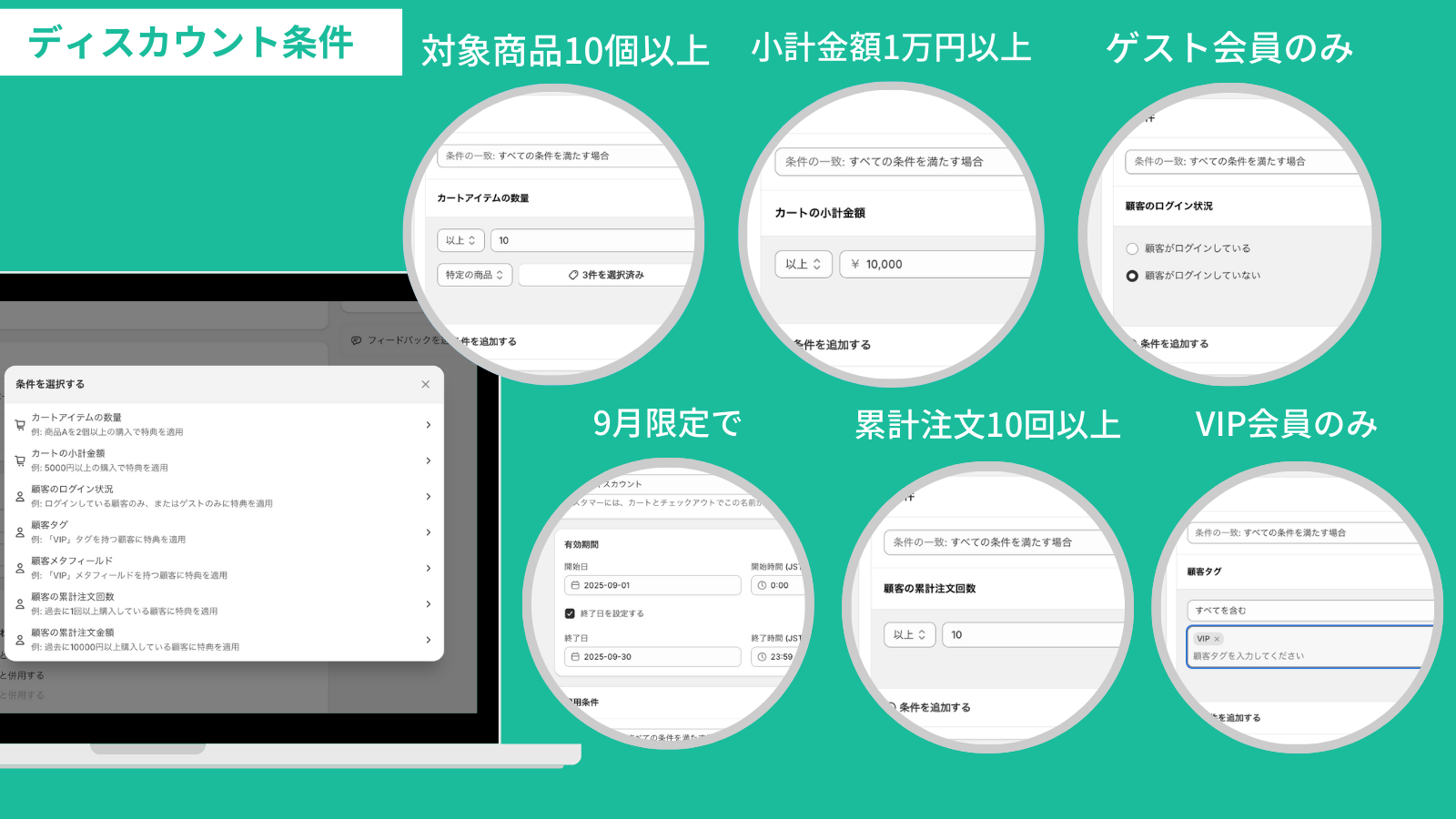
Discounts with various conditions
You can implement discounts based on any conditions, such as Active dates, Cart subtotal price, Cart item quantity, Customer login status, Customer tag, Customer metafield, Customer total order count, and Customer total spent.
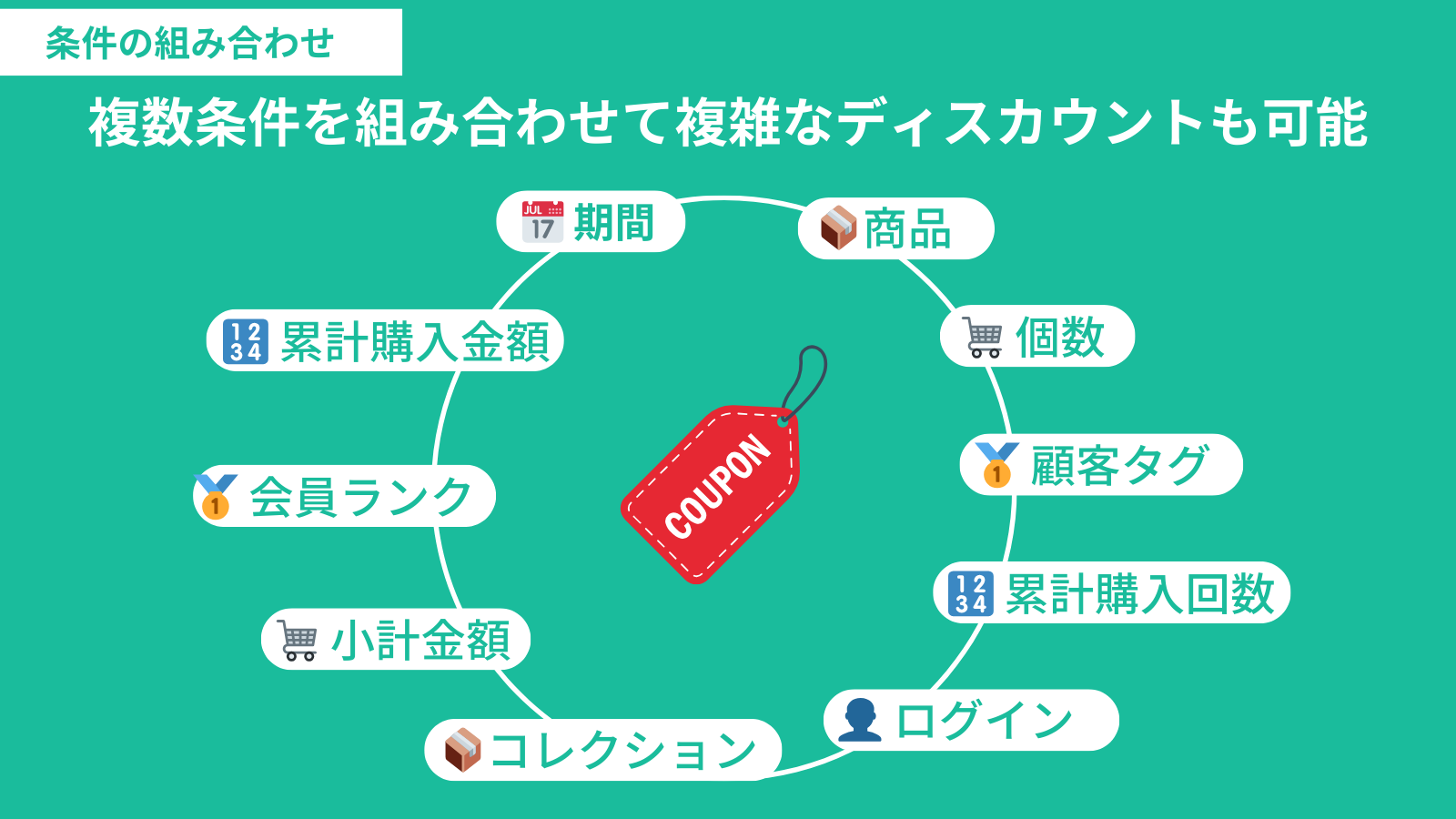
Freely combine conditions
Conditions can be freely combined, allowing for complex discounts by combining multiple conditions.
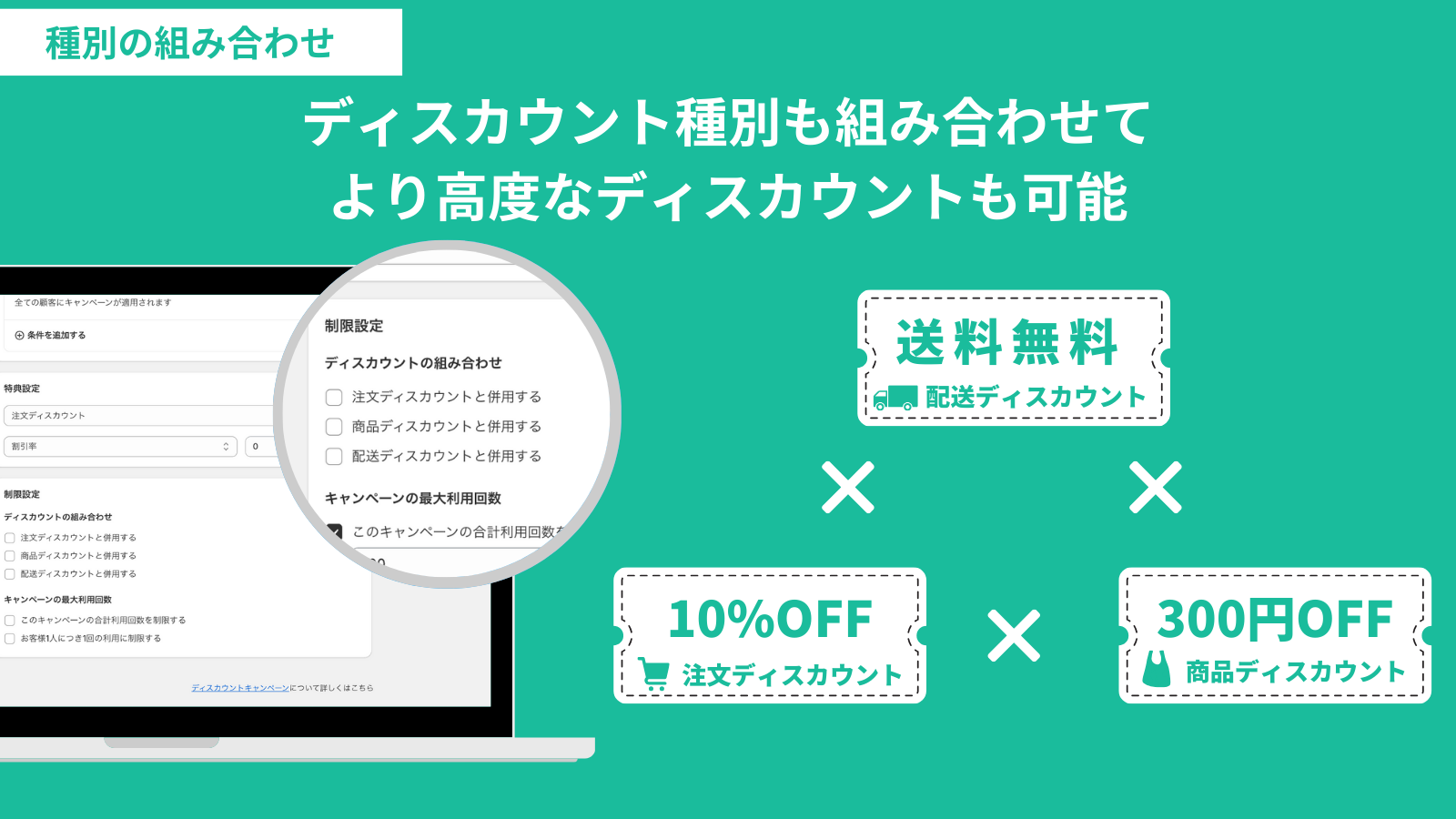
Freely combine discounts
Combinations of discounts for product, order, and shipping are also possible.
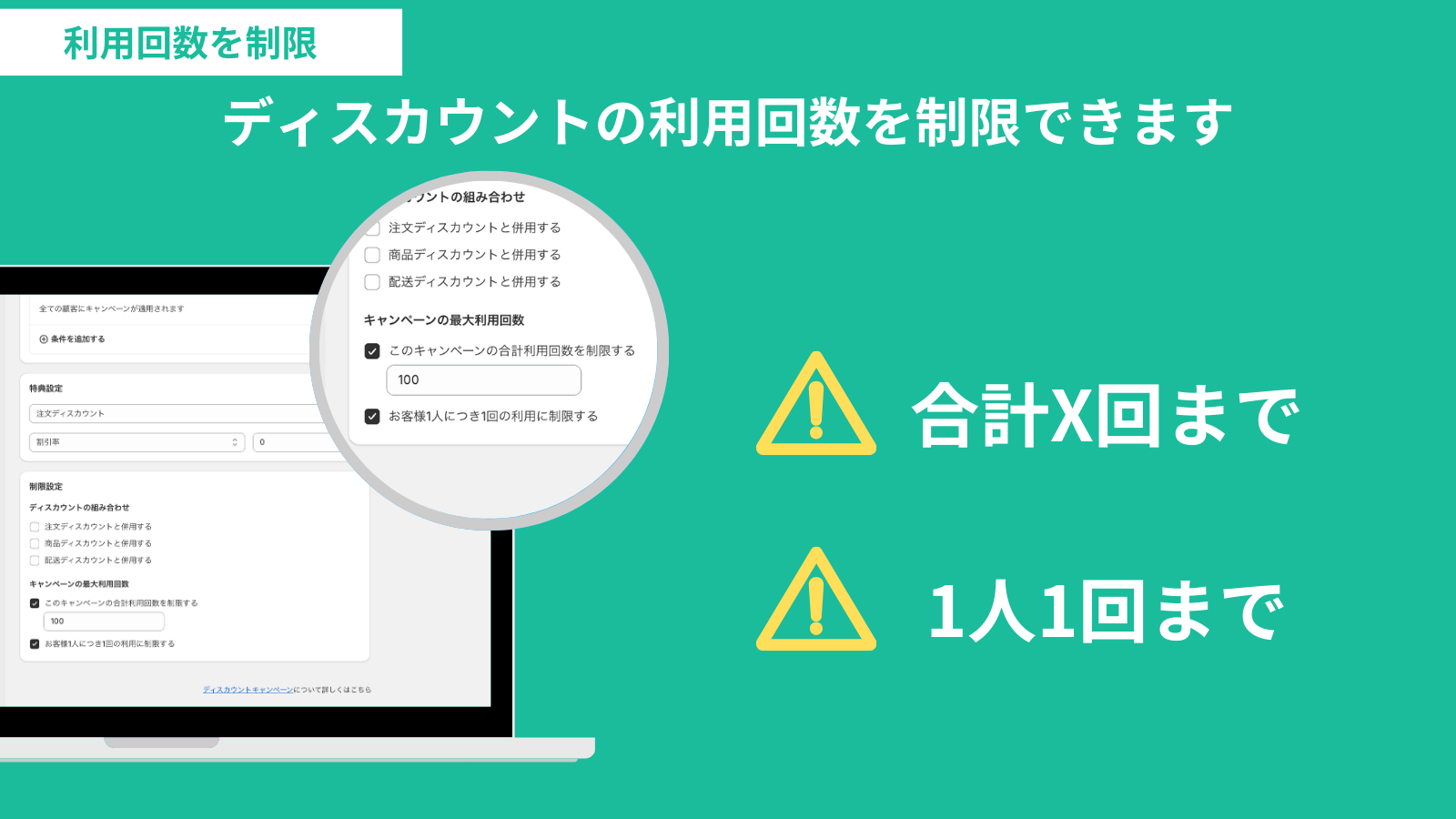
Usage limits
You can set Maximum campaign uses for discounts, such as "Limit number of times this campaign can be used in total" or "Limit to one use per customer."
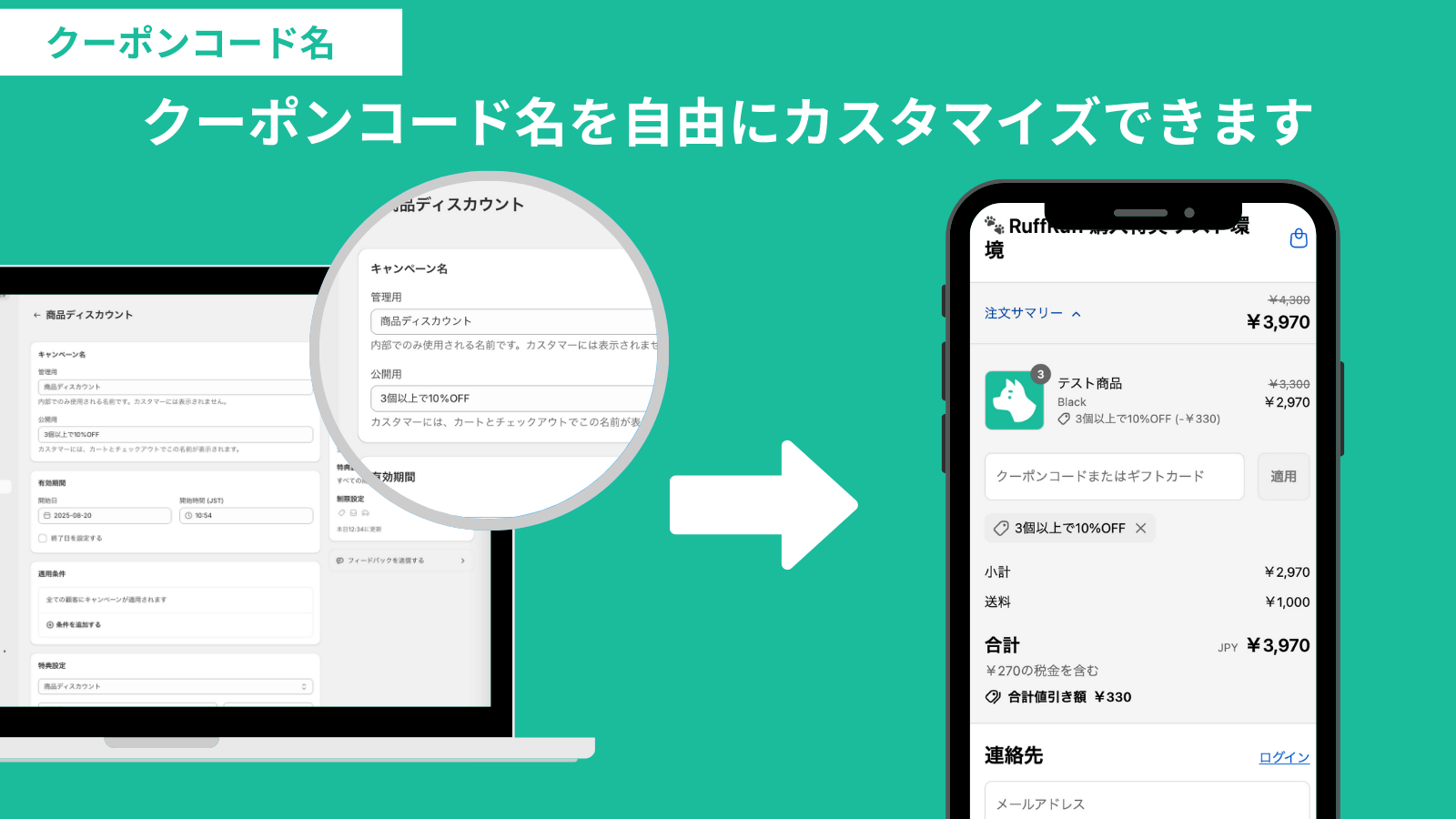
Customization of discount code names
The Discount code name can be customized to any desired name.
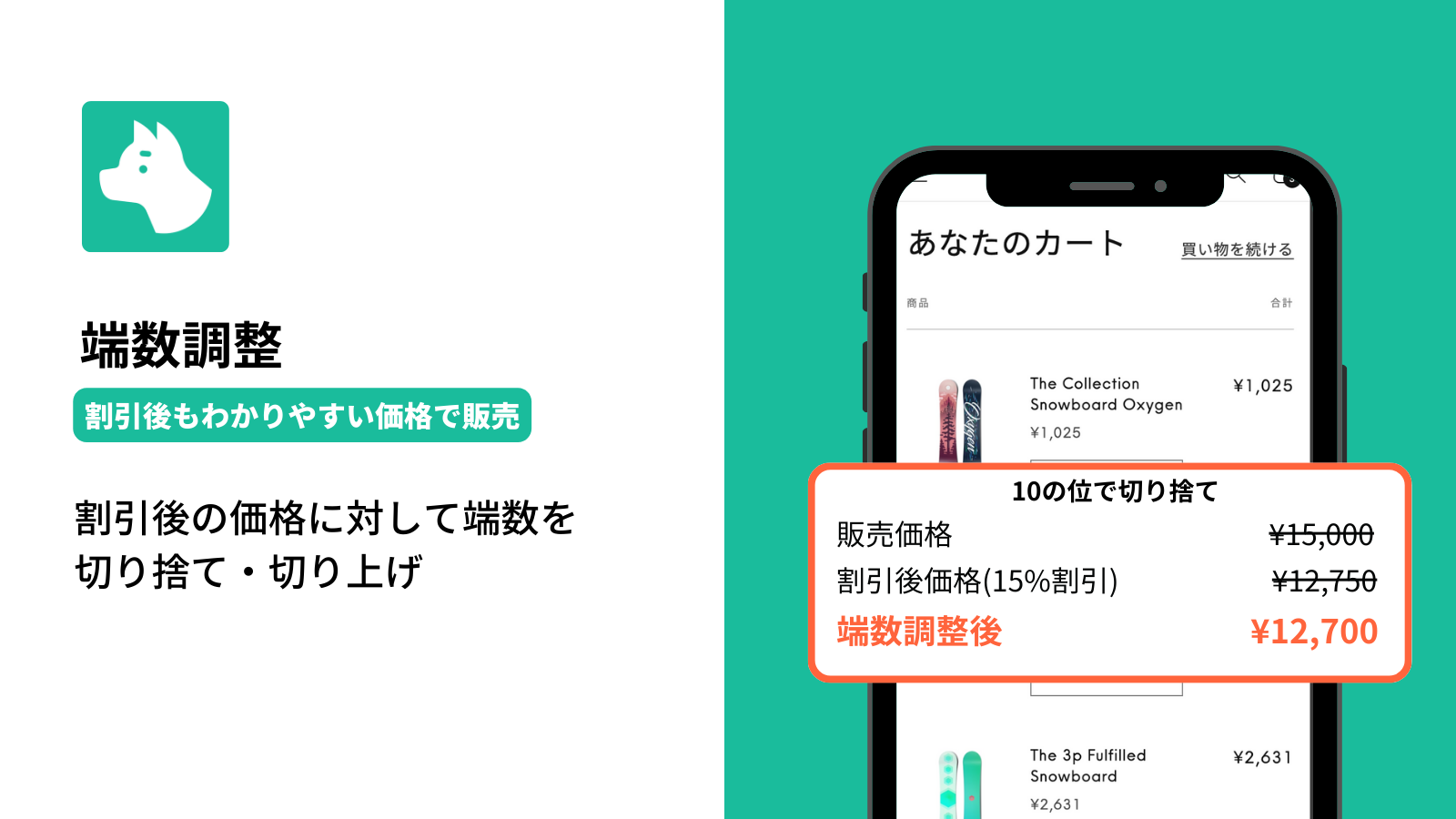
Rounding adjustment
You can round down or round up fractional amounts of the discounted price. By using this feature, you can sell products at easy-to-understand or rounded prices even after the discount is applied.
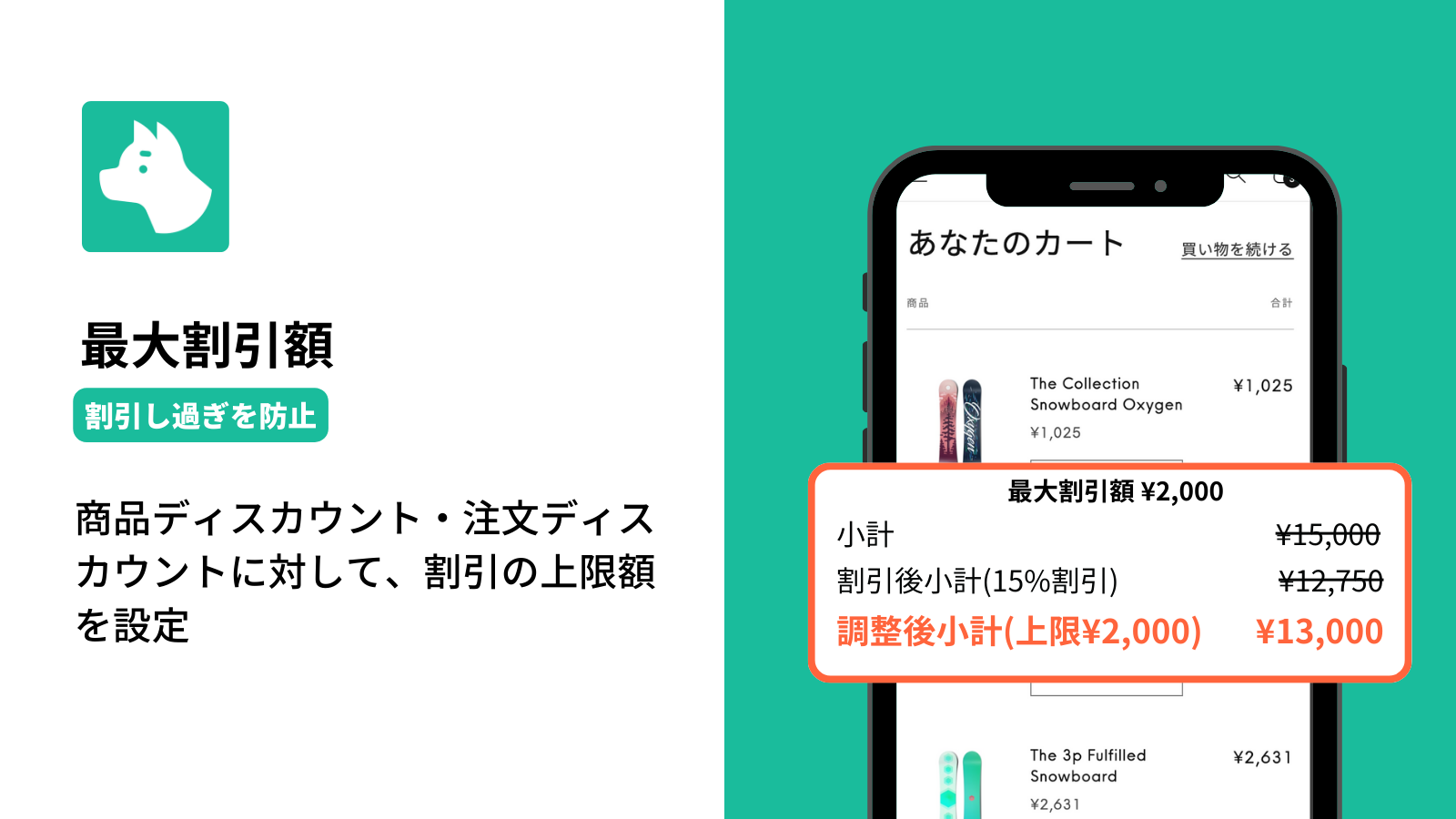
Maximum discount amount
You can set maximum discount amounts for product and order discounts. This feature helps prevent excessive discounting.
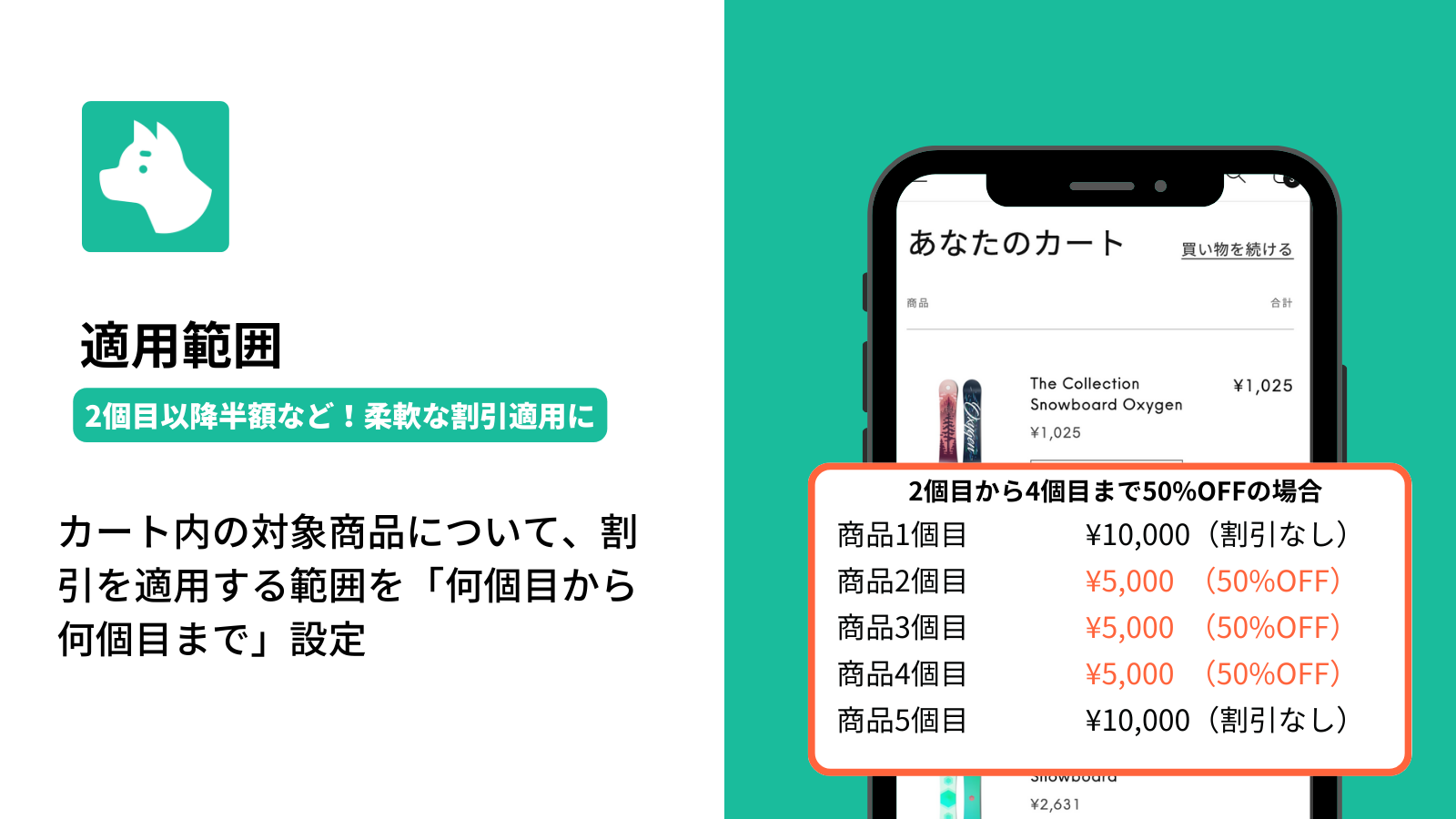
Application range
In Product discounts, you can specify the application range for eligible items in the cart by defining "from which item to which item" the discount applies. For example, you can easily implement discount promotions such as "half price from the 2nd item."
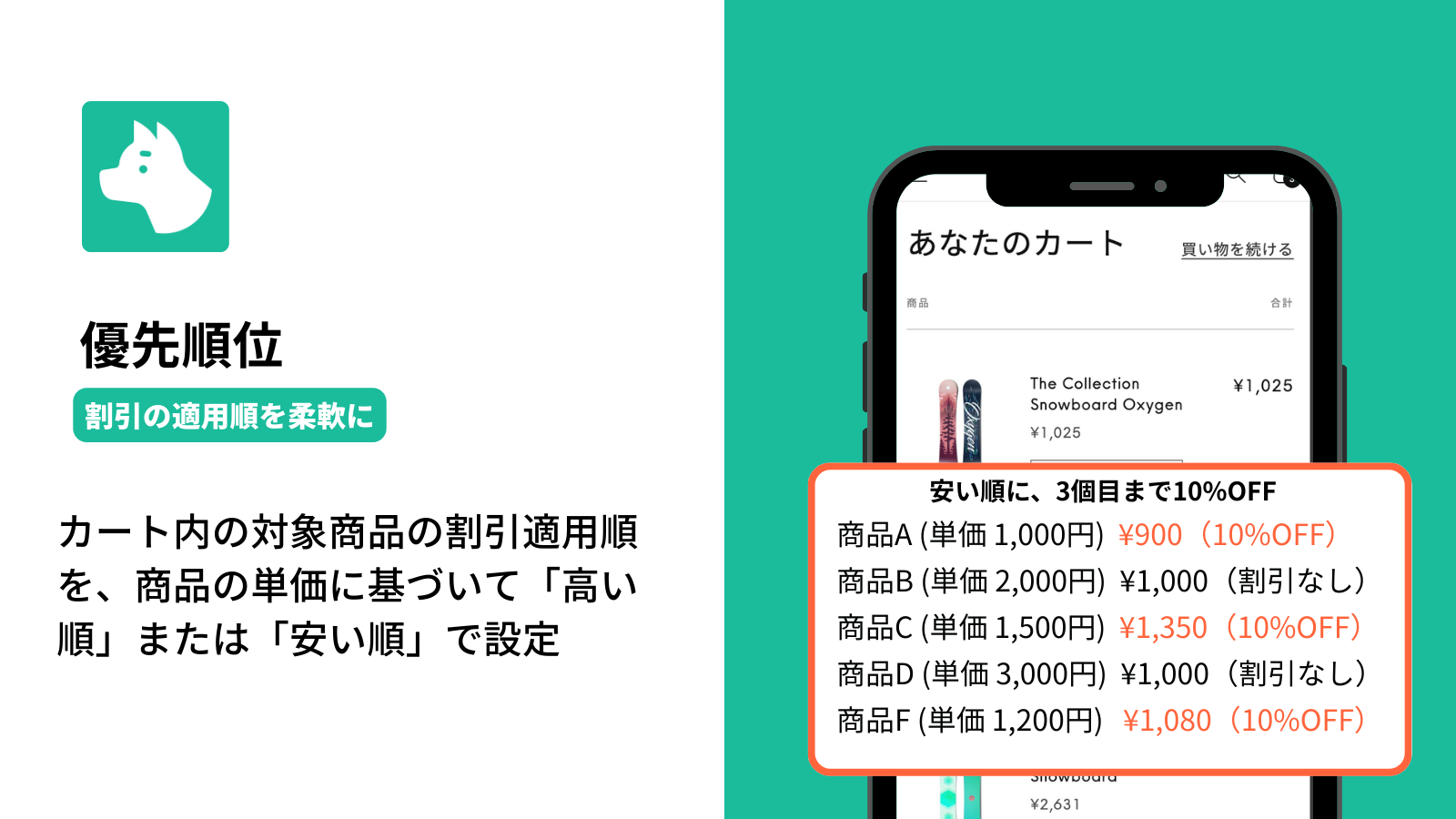
Priority order
For Product discounts, you can set the application order for eligible items in the cart to "Highest price first" or "Lowest price first" based on the product unit price. This allows you to "control excessive discounting" or "provide a better deal for customers."
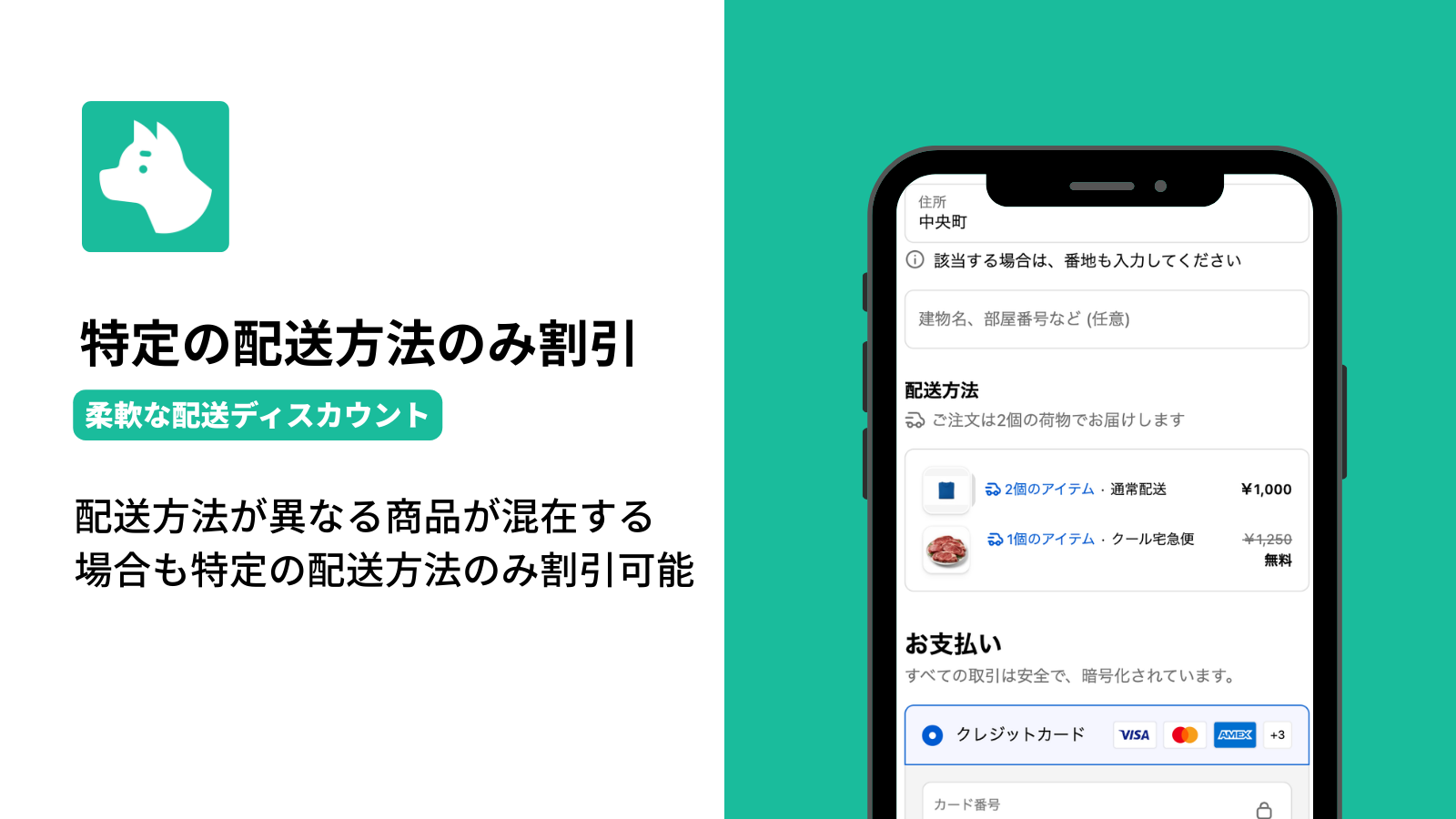
Discount for Specific Shipping Methods
In addition to discounting all shipping charges together, you can specify individual shipping methods to discount.
Example: An order containing both room-temperature and refrigerated items
✅ Standard shipping → Free shipping
✅ Refrigerated shipping → Charged as usual
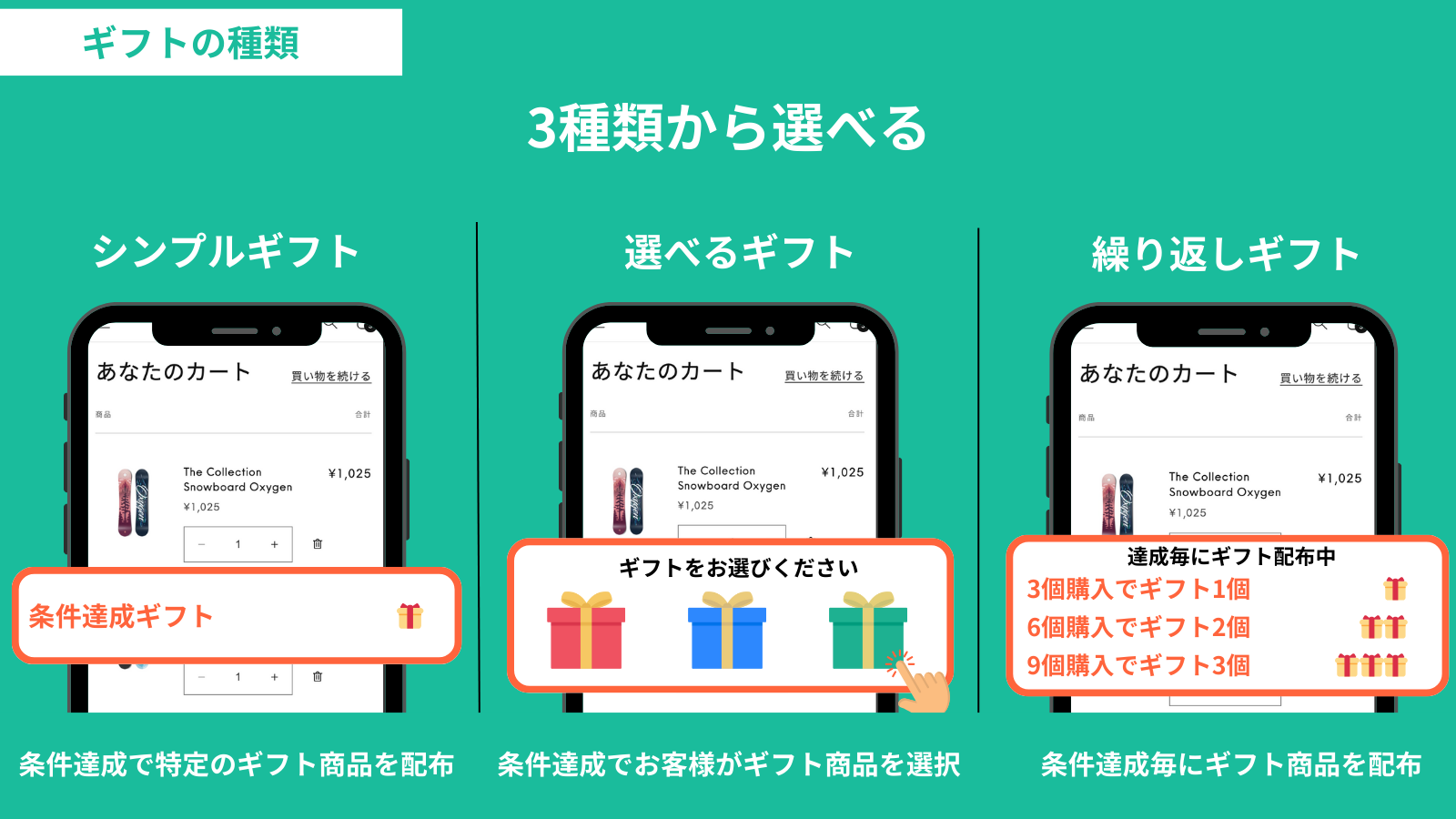
Selectable gift types
You can select the Gift type from the following 3 options:
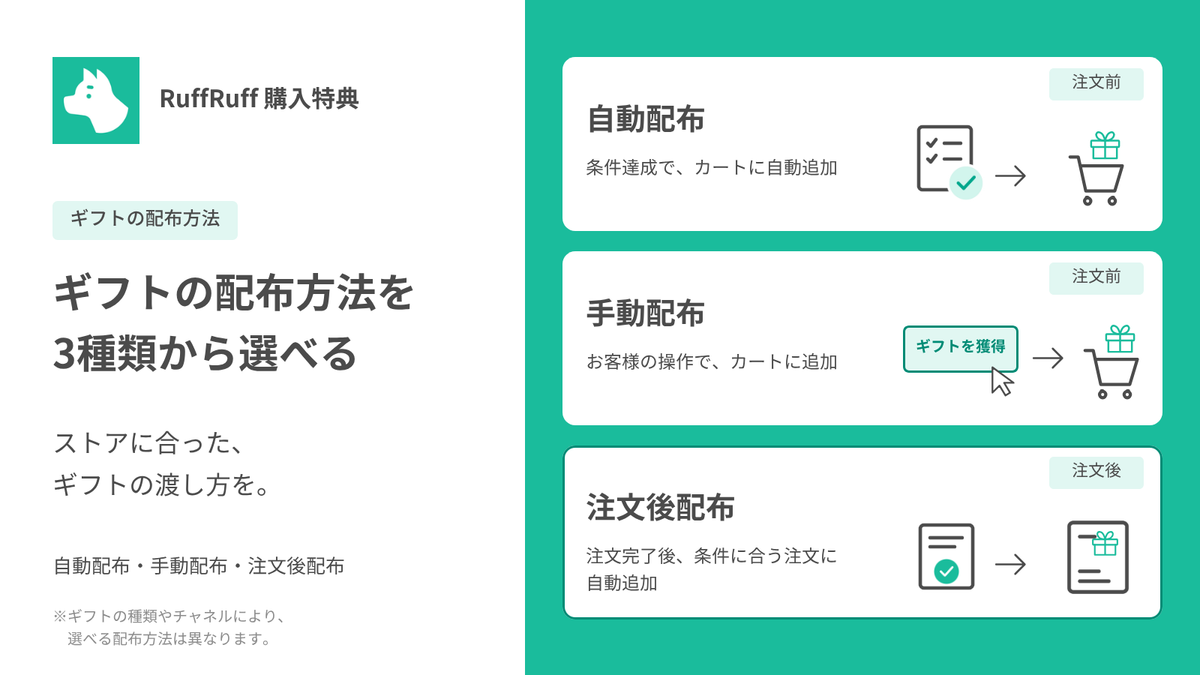
Choose from three gift distribution methods
Choose automatic, manual, or post-order distribution to suit your store. Before checkout, gifts are added to the cart; after checkout, they are added to the completed order.
Note: Available distribution methods vary by gift type and channel.
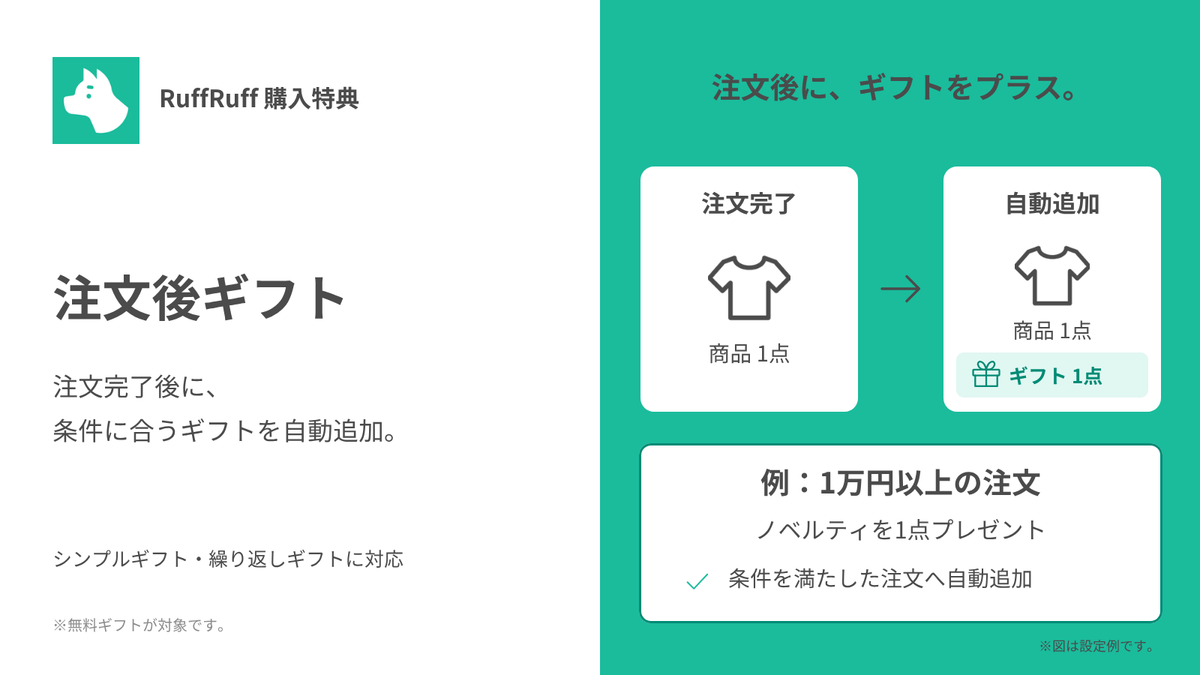
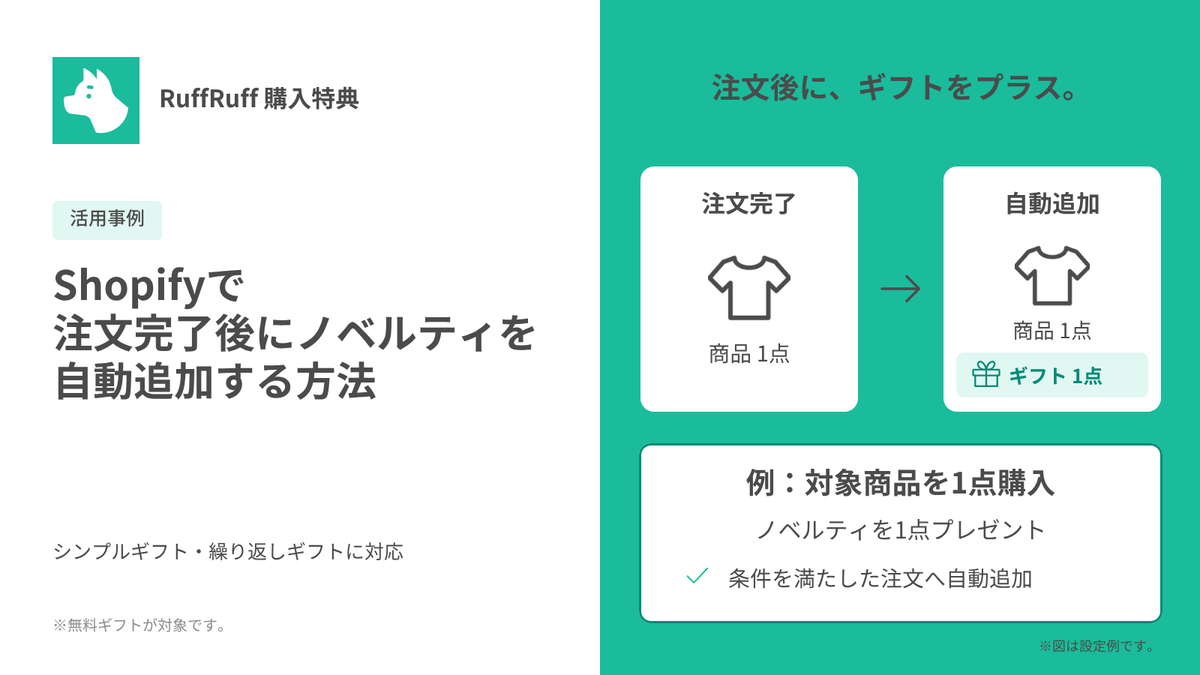
Automatically add gifts after checkout
Automatically add free gifts to qualifying orders—for example, one promotional gift with orders of ¥10,000 or more.
Supports Simple gifts and Repeatable gifts. Enable the feature and configure your distribution conditions to use it. Orders that have already been fulfilled are excluded.
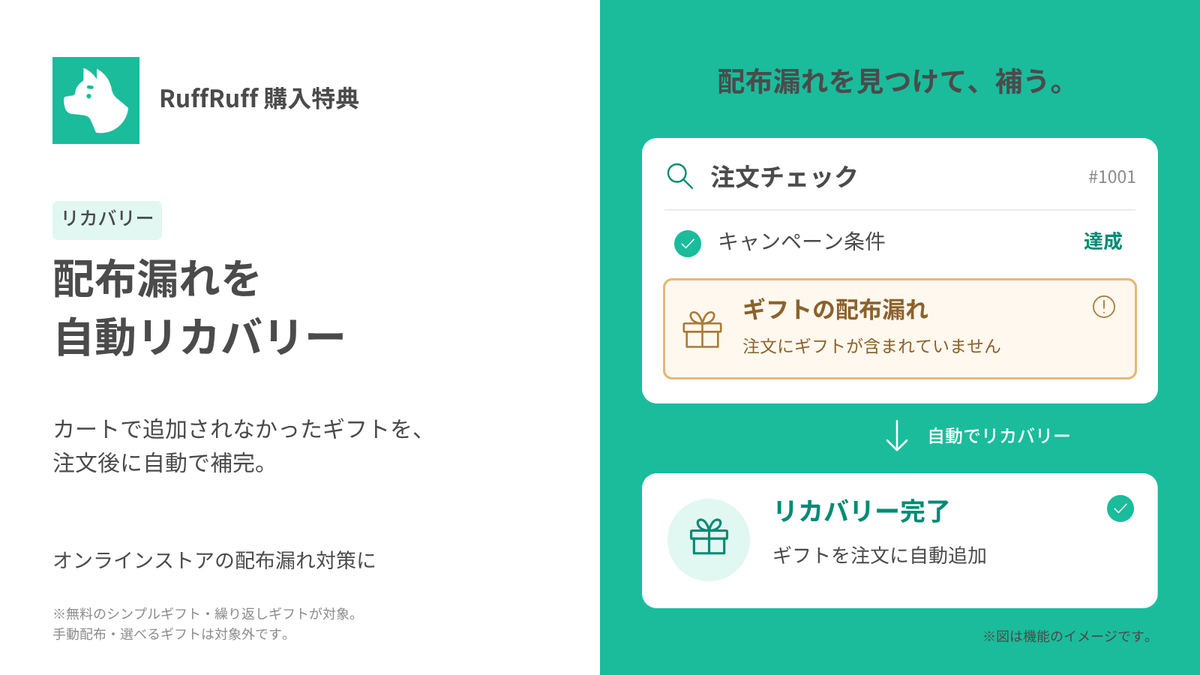
Automatically recover missed gifts
Check online store orders and automatically add eligible gifts that were missed in the cart after checkout.
Note: This feature must be enabled. It applies to free Simple gifts and Repeatable gifts configured for automatic distribution. Manual distribution and Choice gifts are excluded from automatic recovery. Automatic addition may not be possible depending on order status or inventory availability.
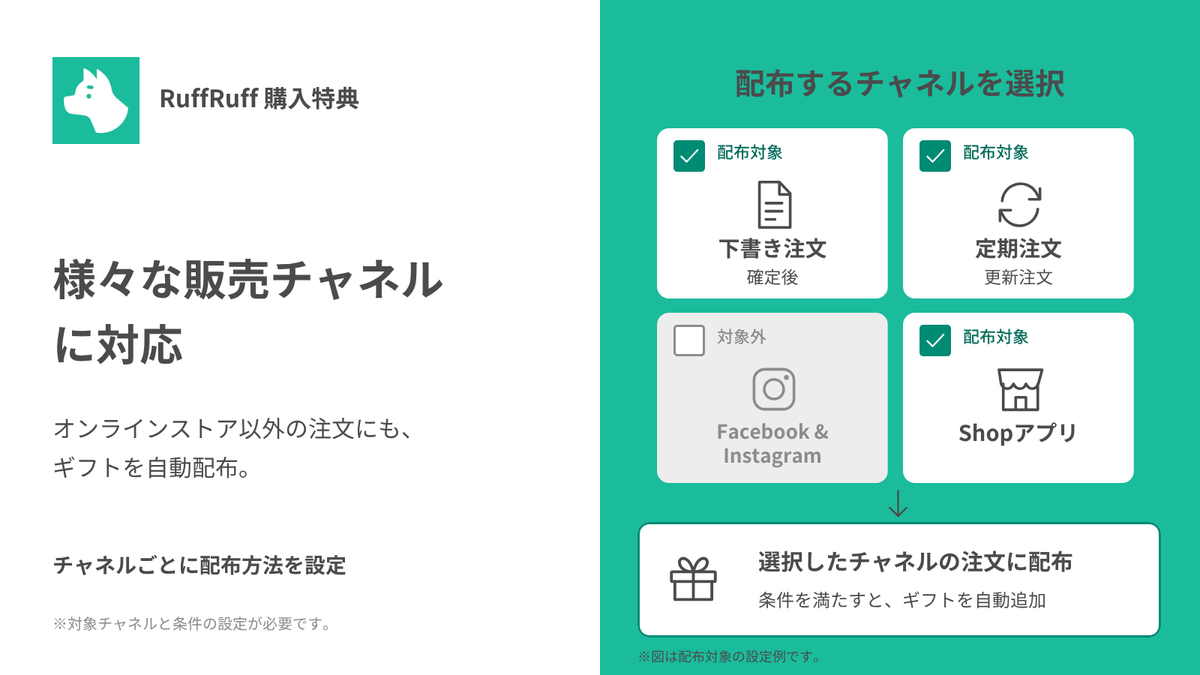
Configure gift distribution by channel
Distribute gifts after checkout for orders from selected channels, including completed draft orders, subscription renewal orders, and Shop.
Note: Configure the channels you want to include. Channels such as Shop can be registered individually. The Facebook & Instagram exclusion shown in the image is an example setting, not an indication that the channel is unsupported.
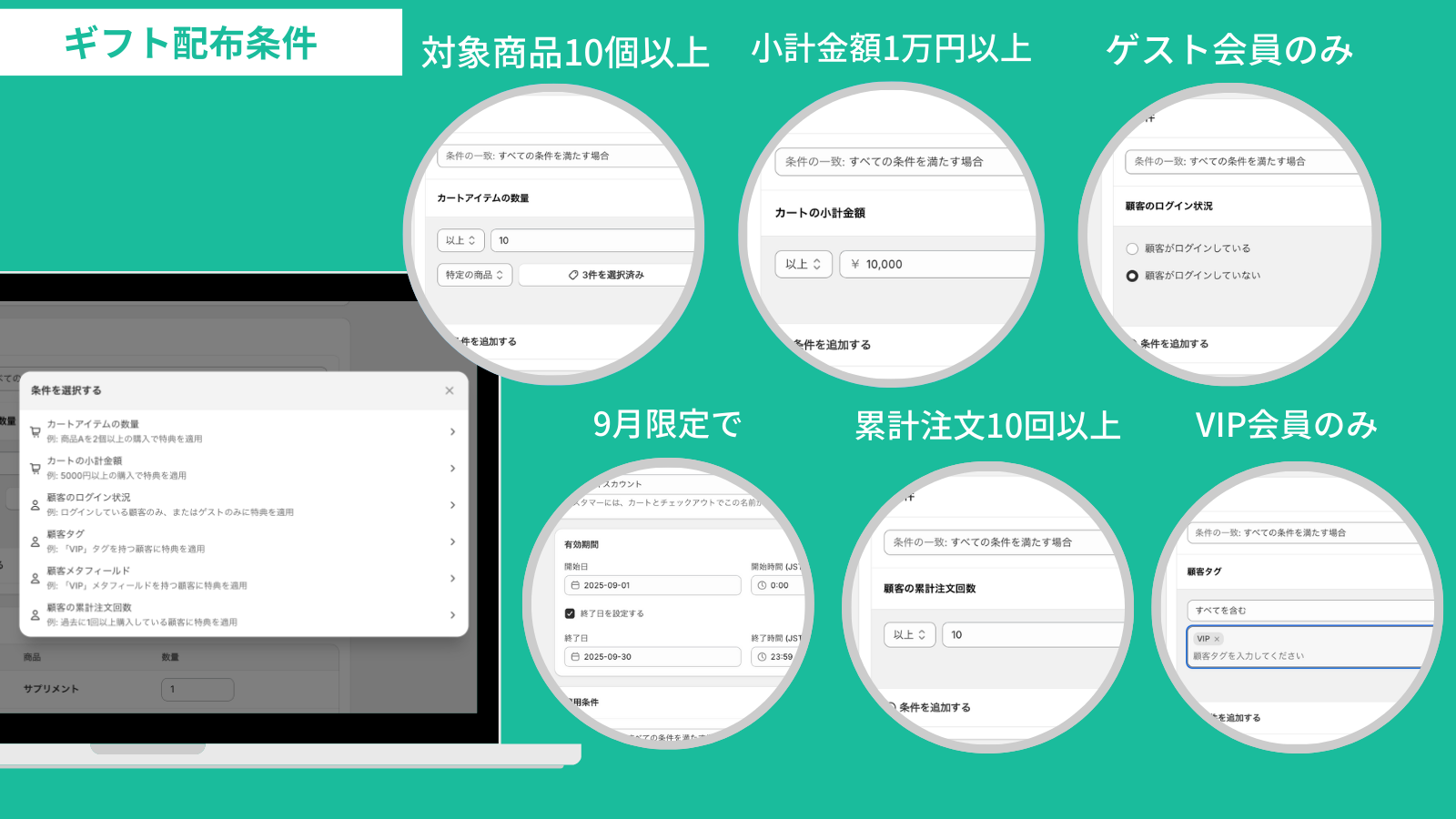
Gift distribution with various conditions
You can distribute gifts based on conditions such as active dates, cart subtotal, cart item quantity, customer login status, customer tags, customer metafields, and total customer order count.
Note: Customer login status cannot be used as a condition for post-order distribution. Available conditions vary by distribution method.
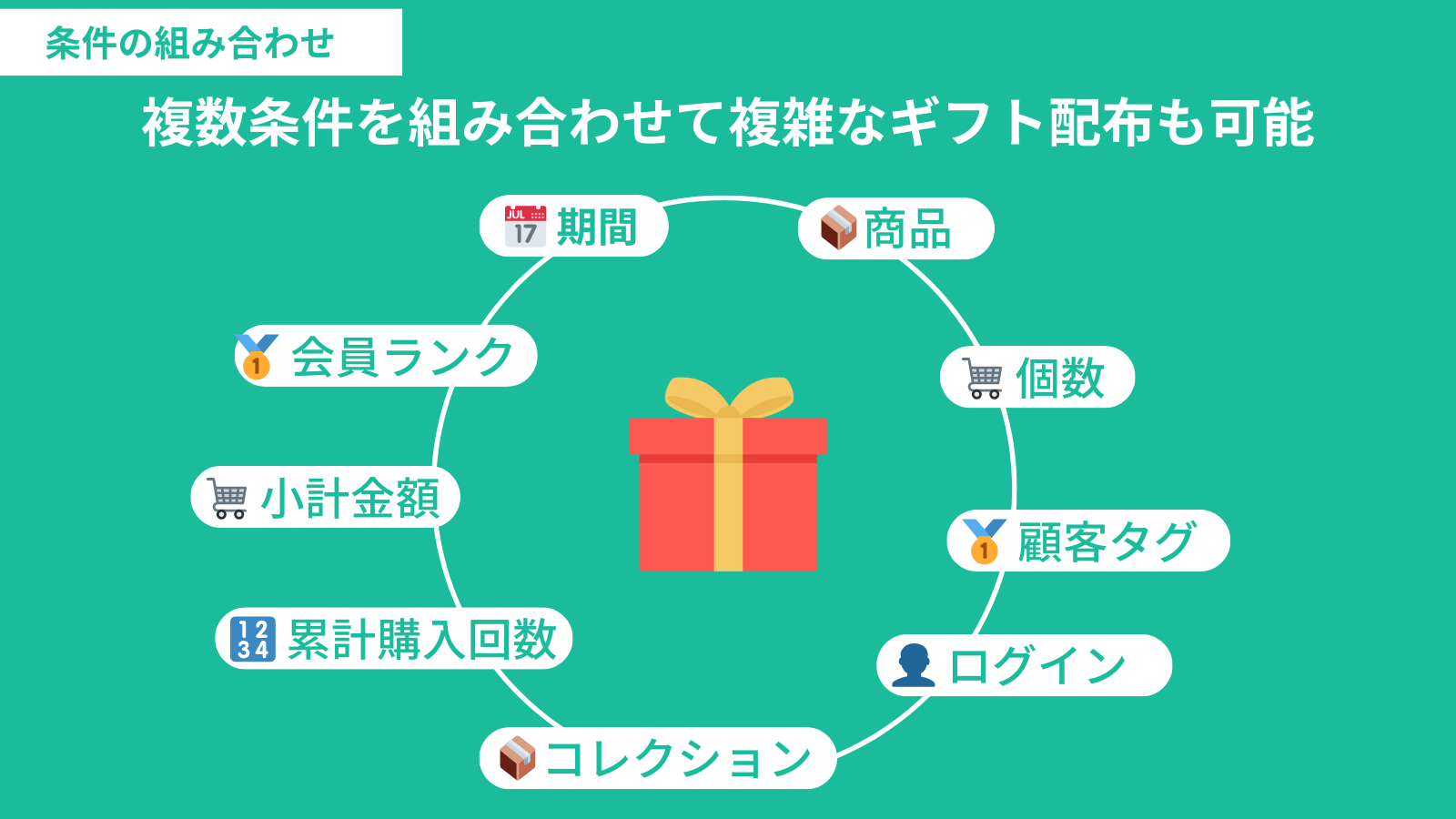
Freely combine conditions
Conditions can be freely combined, allowing for complex gift distribution by combining multiple conditions.
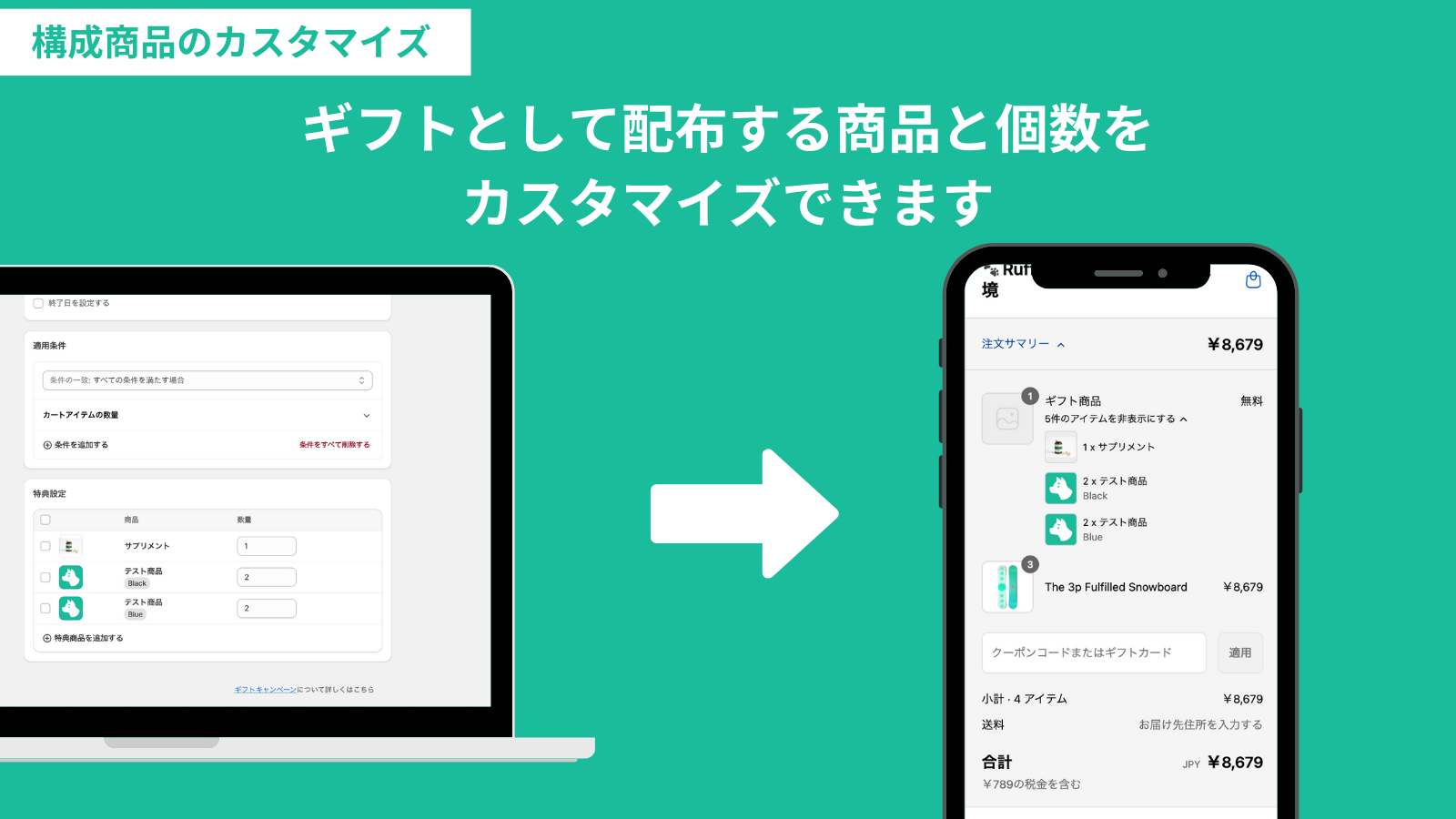
Customization of components
You can customize the gift product's variants and Quantity. It is possible to distribute a gift set consisting of 1 unit of Product A and 3 units of Product B.
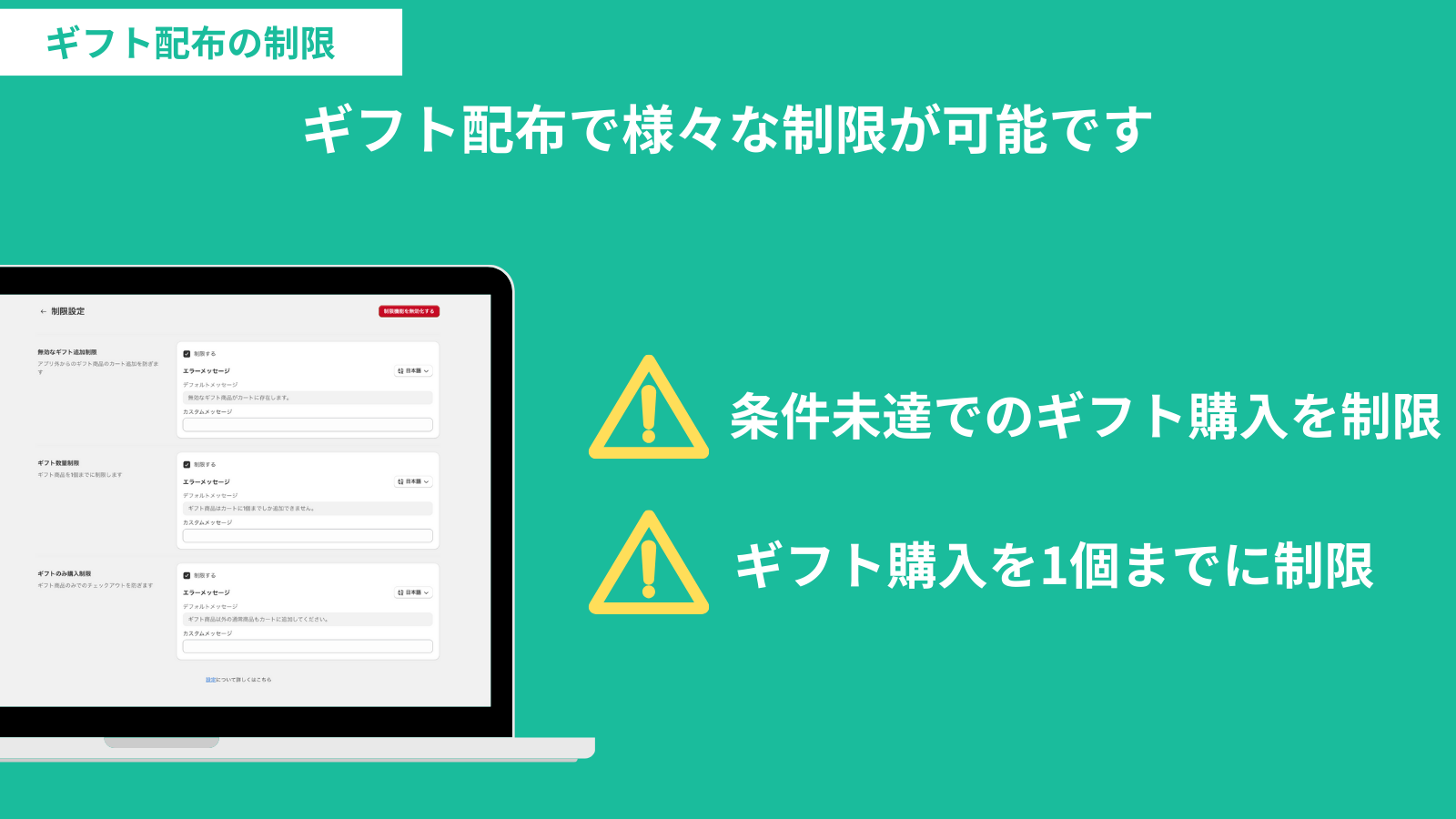
Restrictions on gift distribution
Various restrictions can be implemented during gift distribution. You can use Checkout rules to limit distribution of gifts that do not meet conditions or limit gift quantity to 1 item.
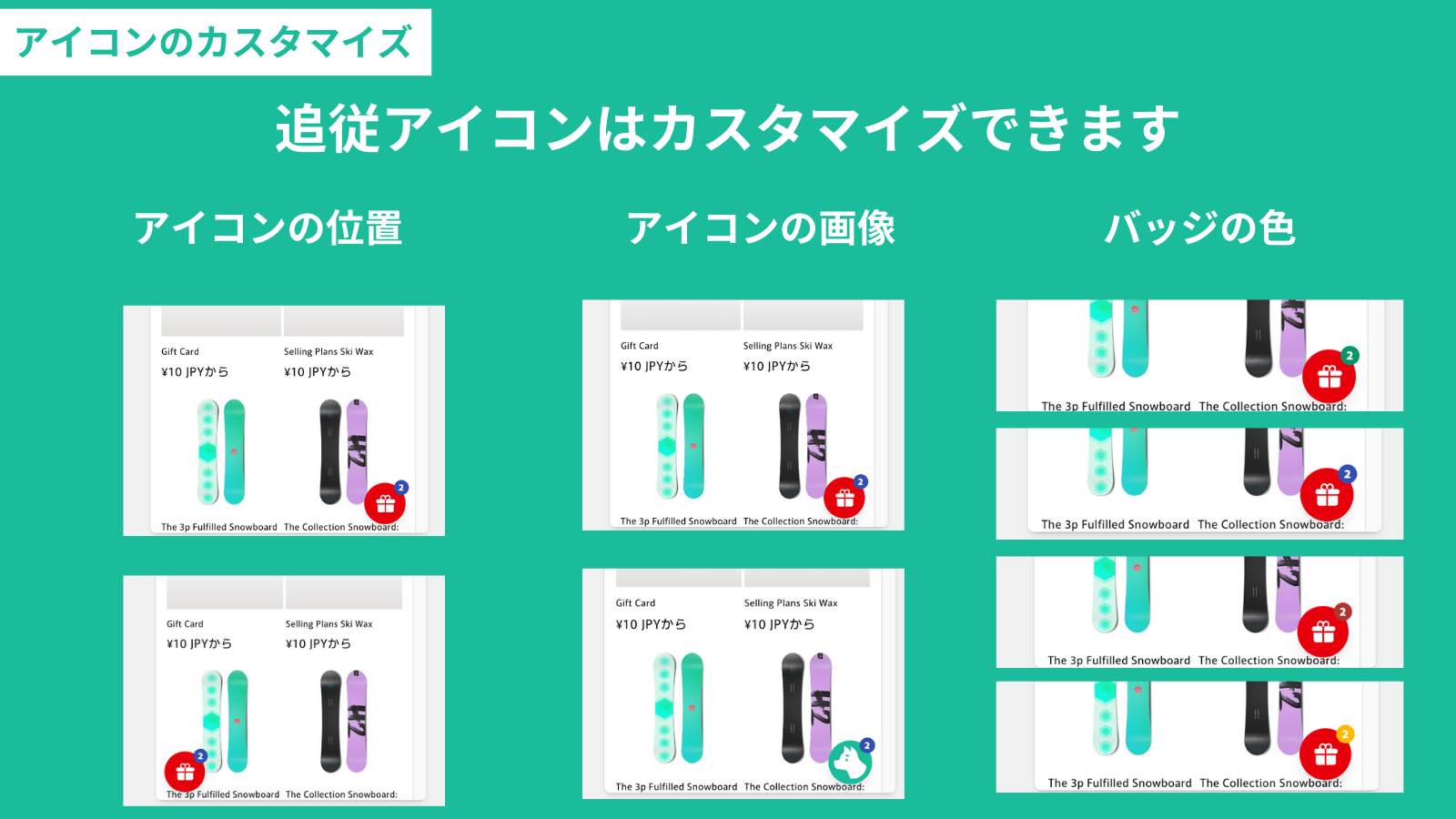
Customization of icons
The floating icon for the gift widget can be freely customized.
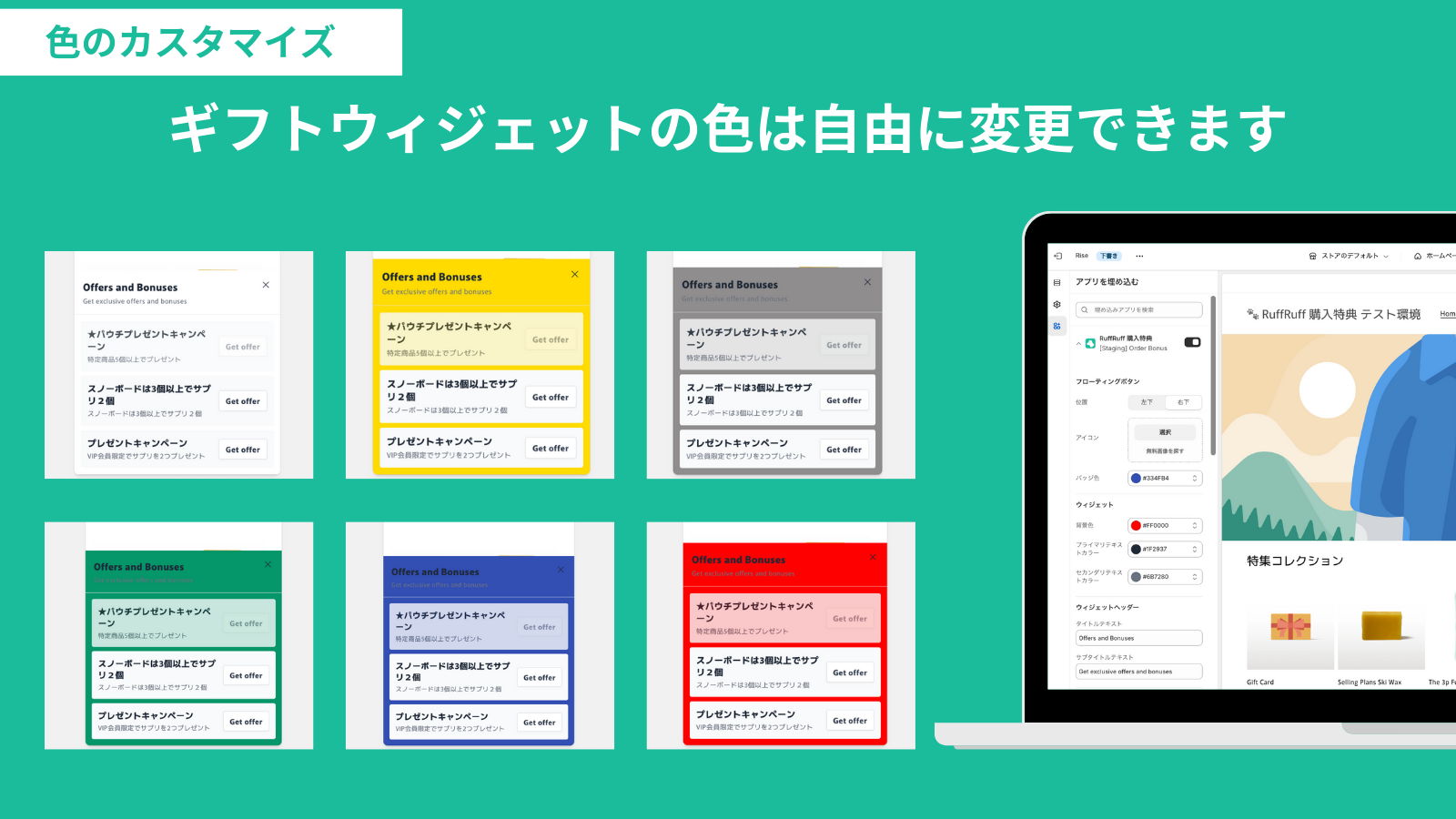
Customization of colors
Various colors of the gift widget can be freely customized.
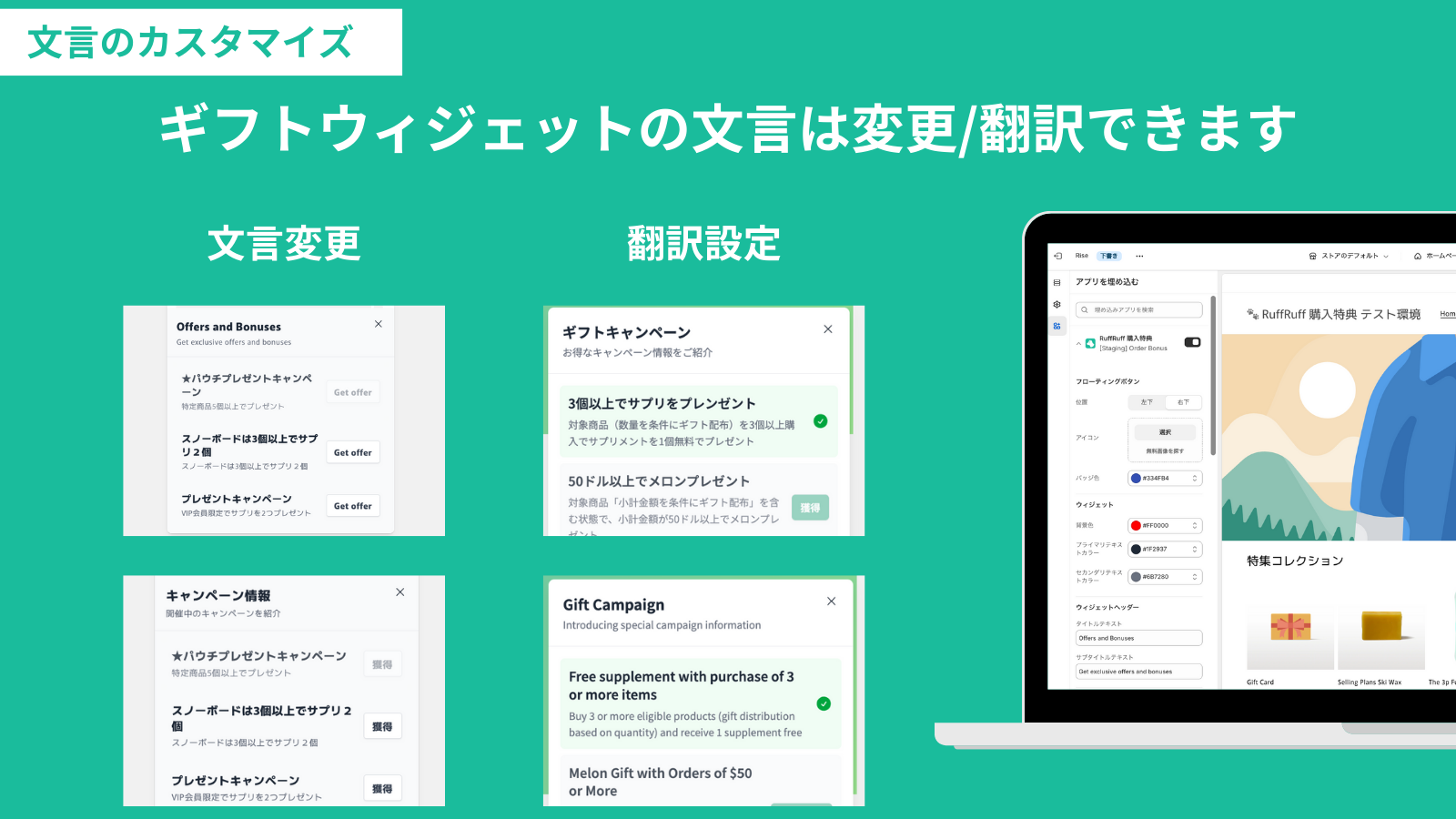
Customization of text
The text in the gift widget can be changed or translated.
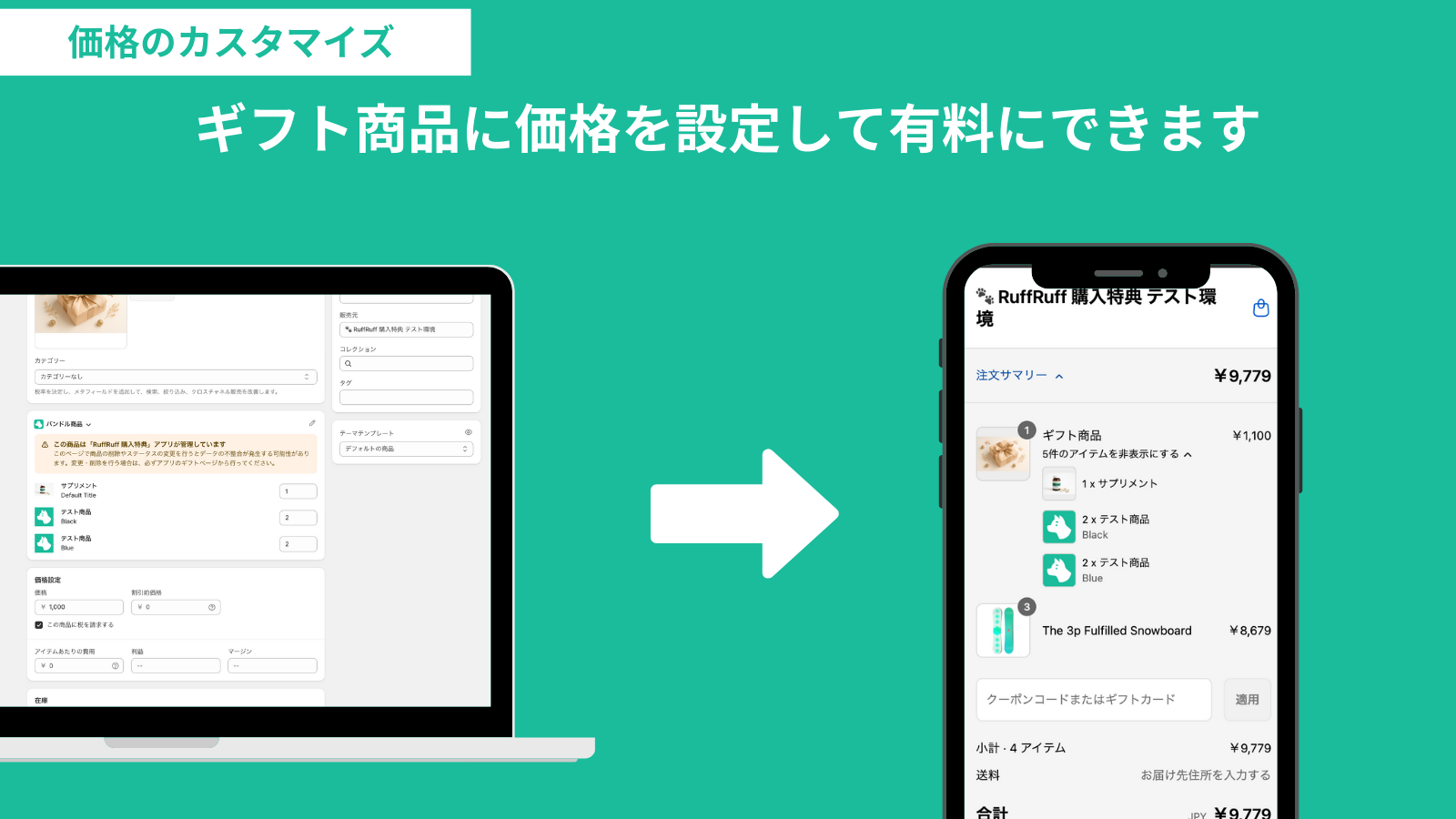
Customization of prices
You can customize gift product prices to offer gifts for free or at a special price.
Note: Automatic post-order distribution is available for free gifts only.
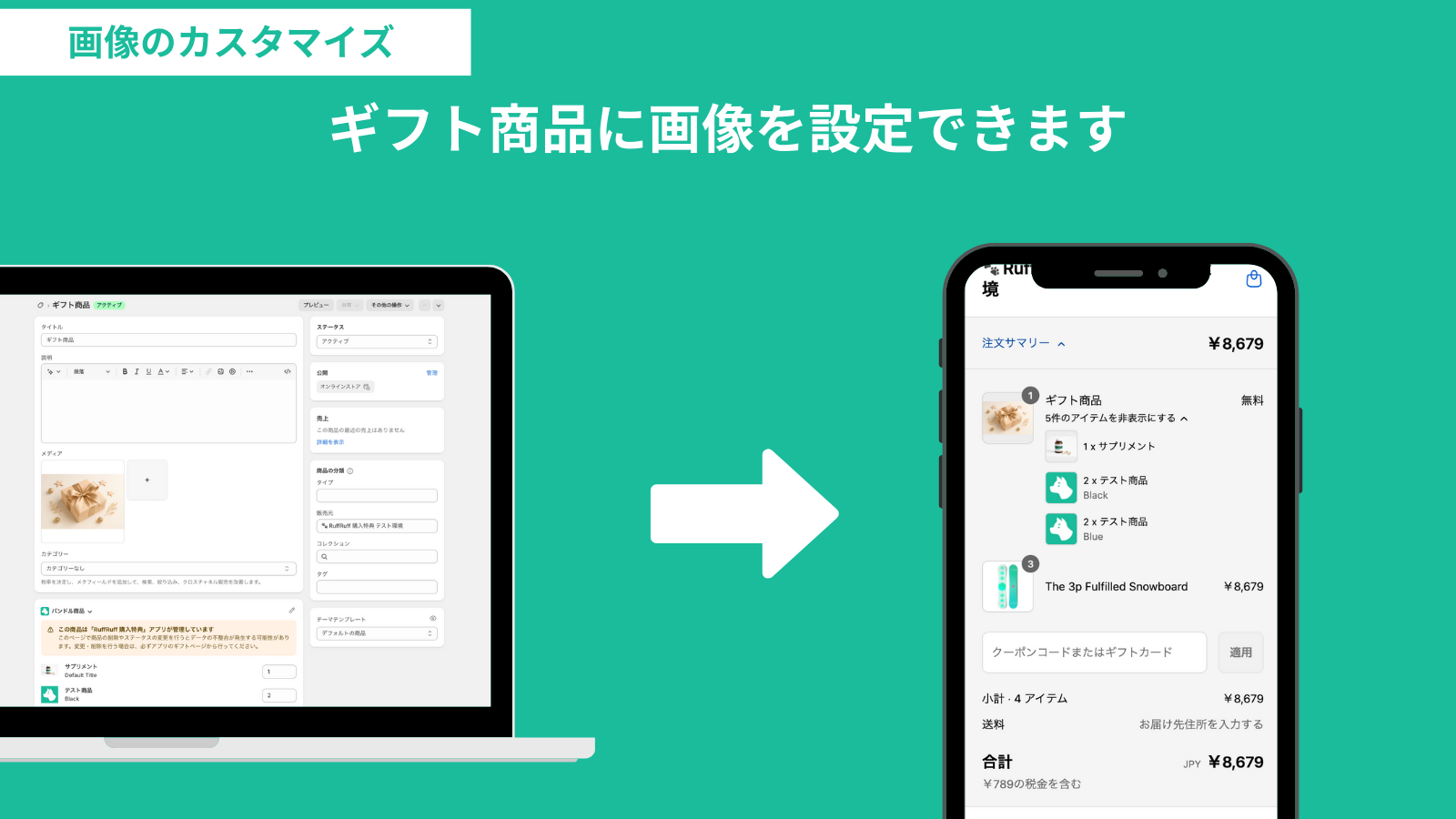
Customization of images
Images for gift products can be set freely. By setting an image, it can be displayed on the cart page and at checkout.
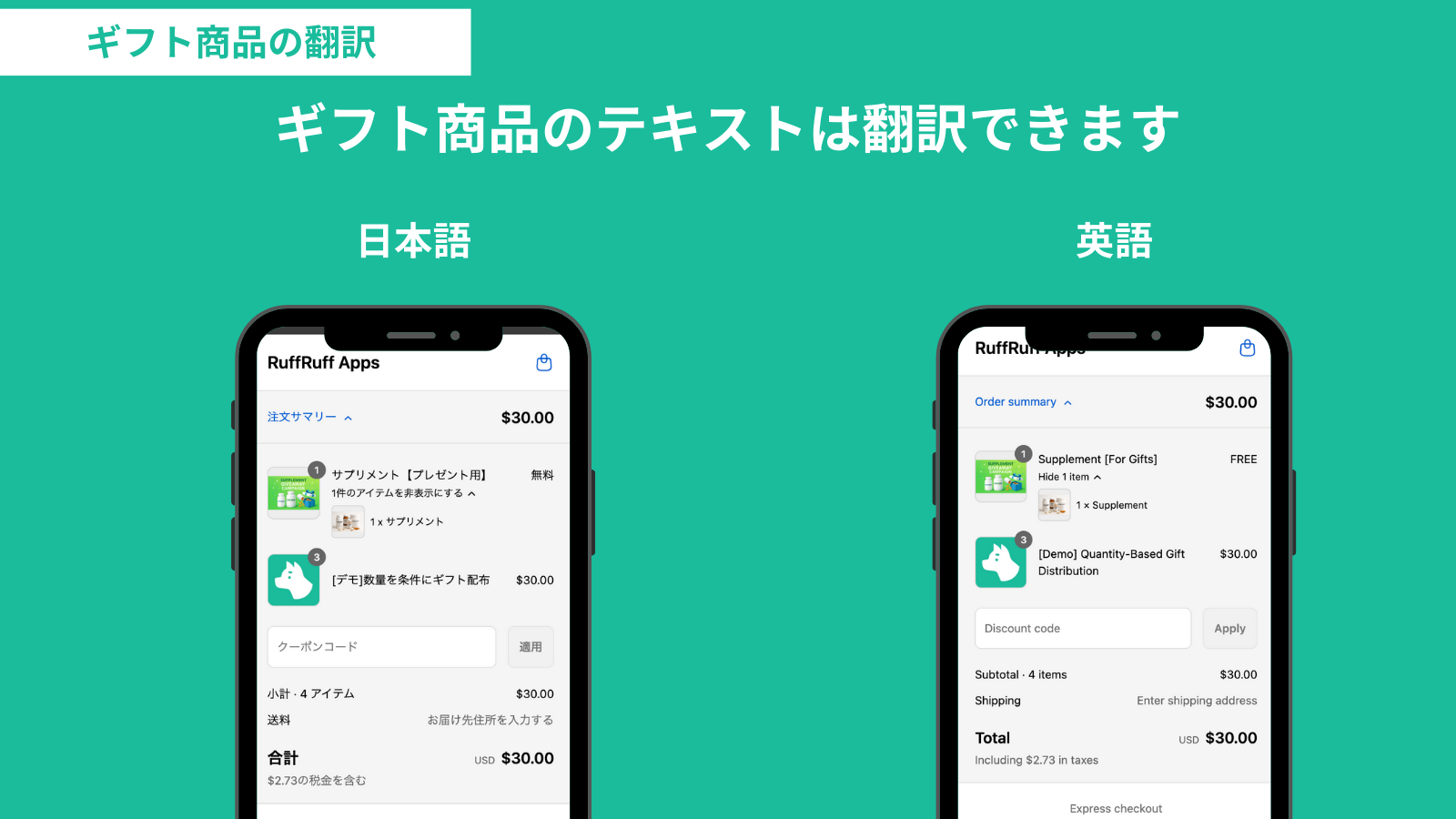
Translation
Gift products can be translated. This can be utilized for multi-language stores and cross-border EC.
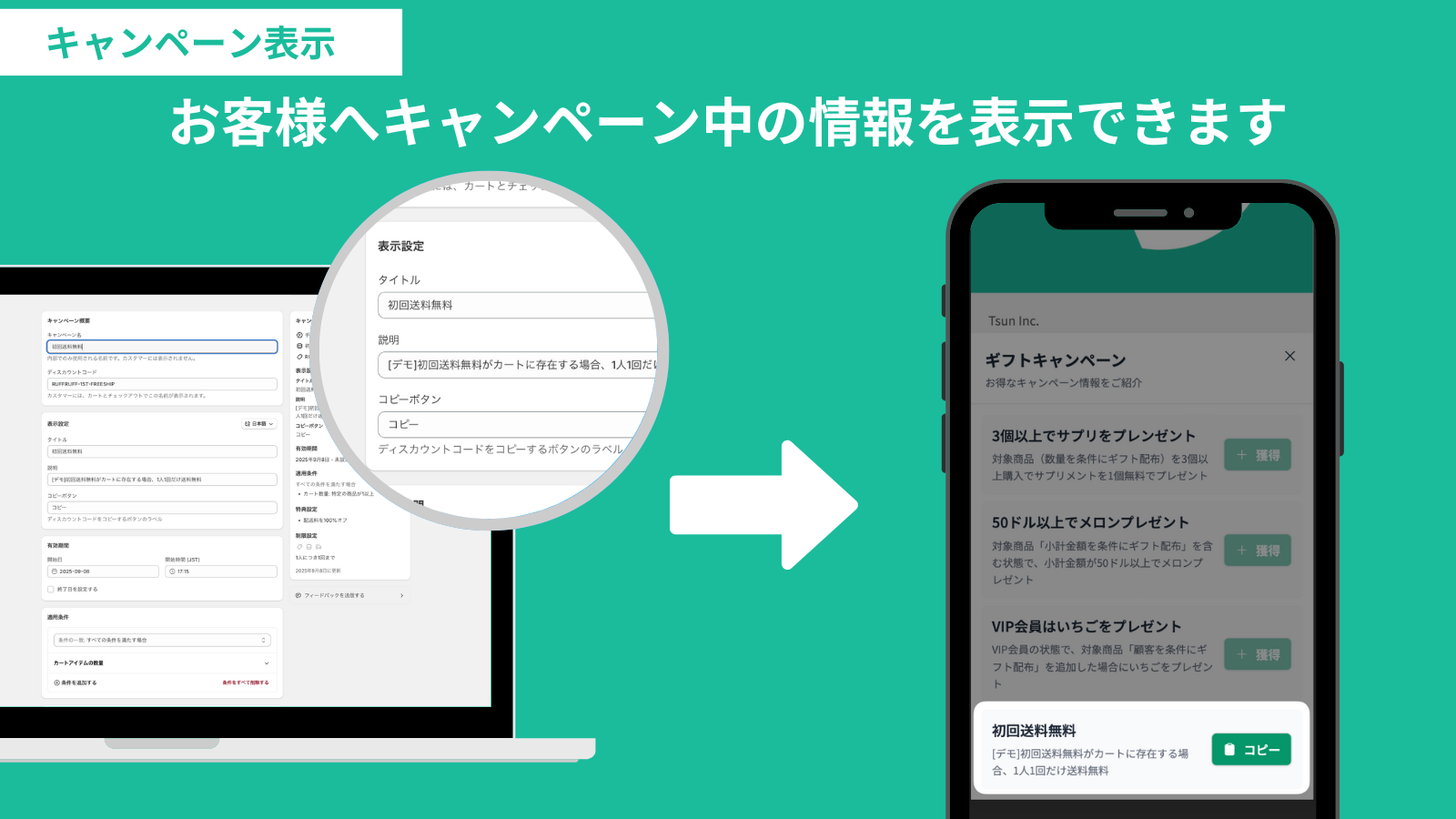
Display campaign information
You can show information regarding active campaigns to customers.
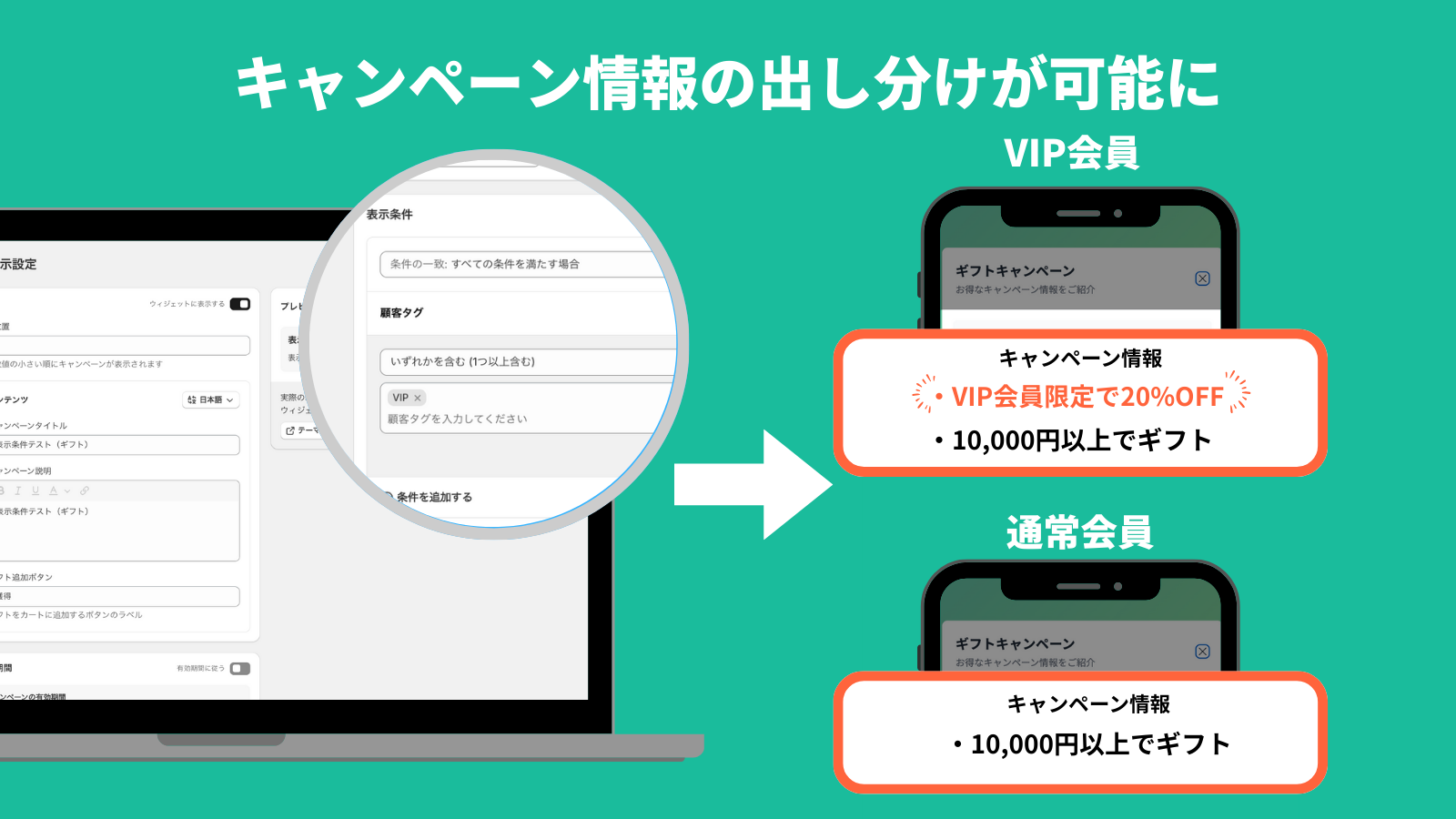
Segmented campaign information display
Campaign information can be displayed filtered by "specific conditions" or "Active dates." This enables more strategic sales promotion, such as pre-announcements or exclusive guidance for loyal customers.
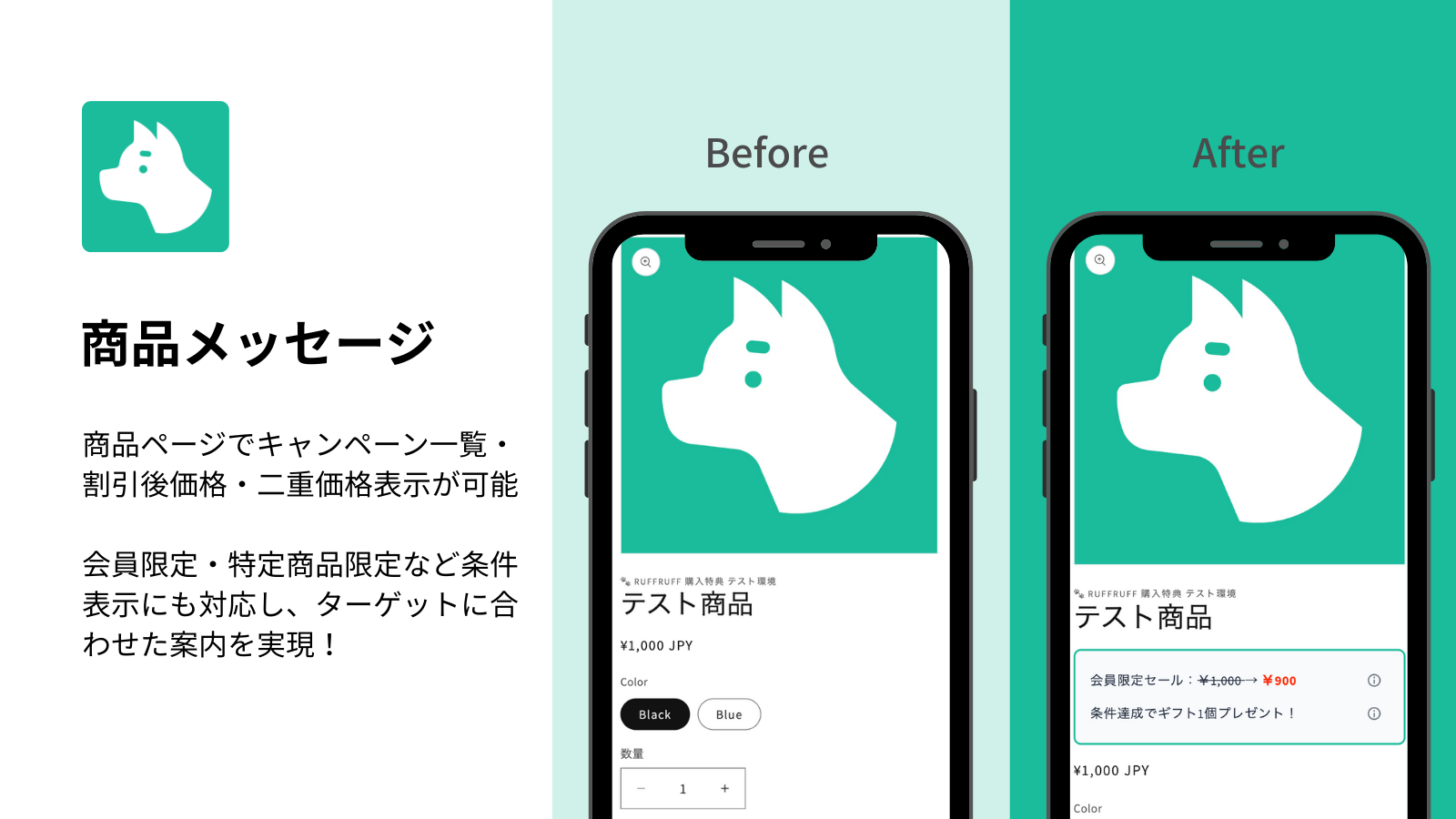
Product Message
You can display any custom message on the product page. This can be used for:
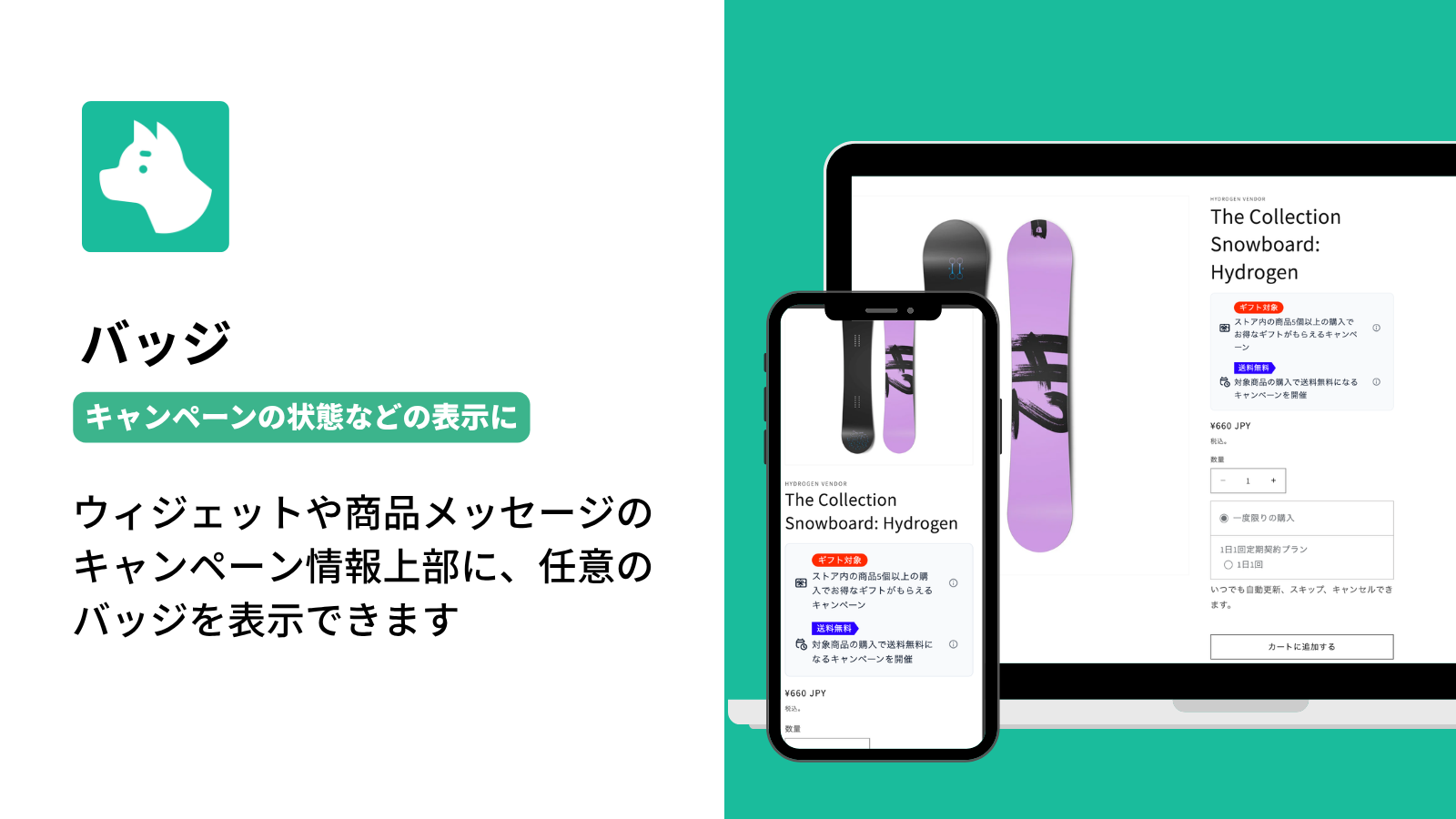
Badges
You can display any badge text above campaign information in the widget or product message to indicate its status.
Use labels such as “Active,” “Coming soon,” or “Distribution limit reached” to visually highlight the campaign status for customers.
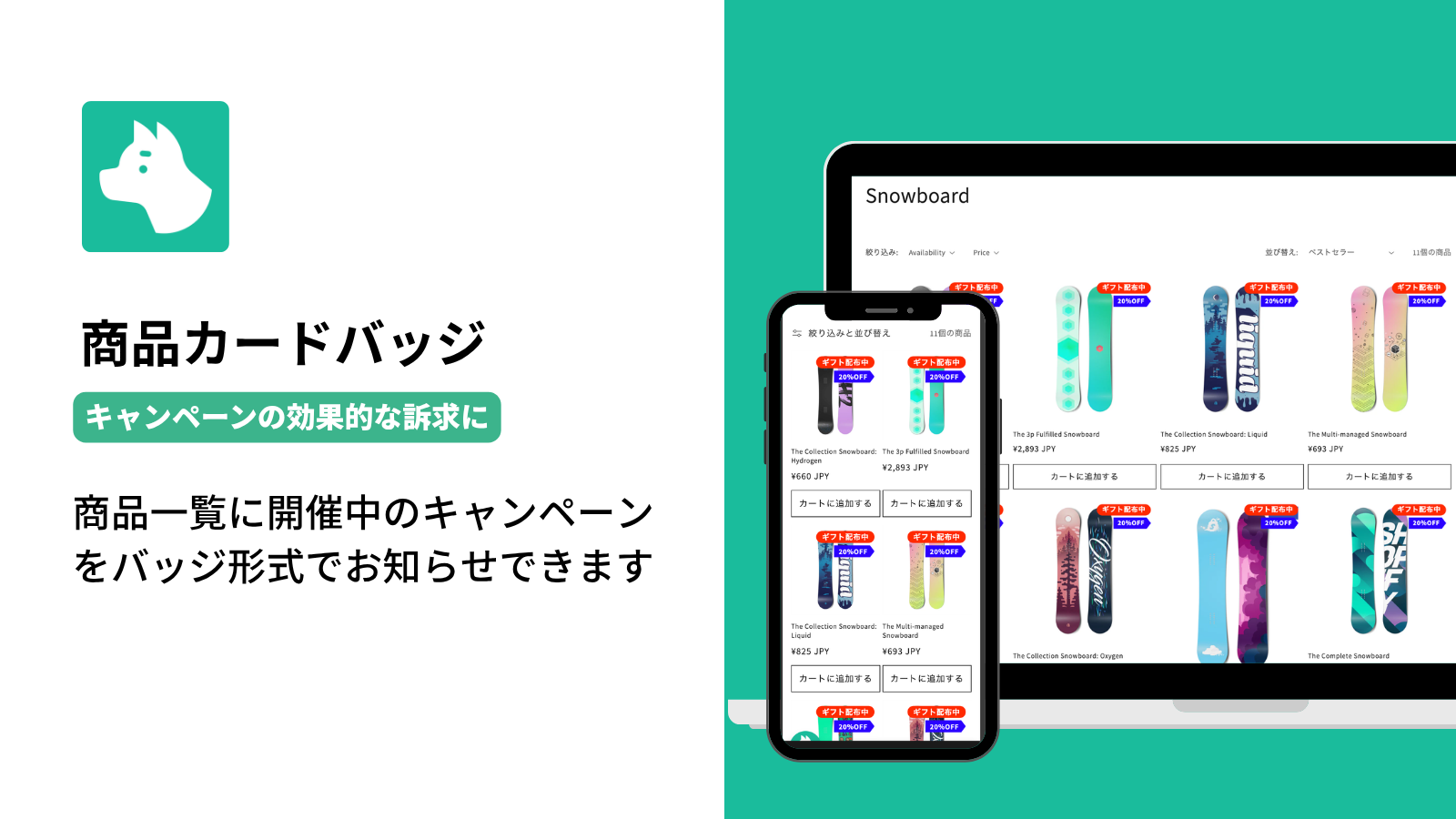
Product Card Badges
You can display active campaign information as badge text in product lists.
On any product listing, including collection pages and recommended product lists, you can effectively promote campaign information such as “SALE,” “10% OFF,” and “Gift available.”
Icon customization
The widget's floating icon can be customized freely.
Customize colors
The various colors of the Widget can be freely customized.
Customize wording
The wording within the Widget can be changed or translated.
Monthly Payment
Annual Payment
(Monthly Equivalent)
$9.9
$99
(Monthly $8.25)
$13.9
$139
(Monthly $11.58)
$19.9
$199
(Monthly $16.58)
$29.9
$299
(Monthly $24.92)
Campaign ideas
Browse by goal and compare each condition and benefit at a glance.
What would you like to achieve?
選べるギフトはお客様の選択が必須で、カートへ自動追加されません。
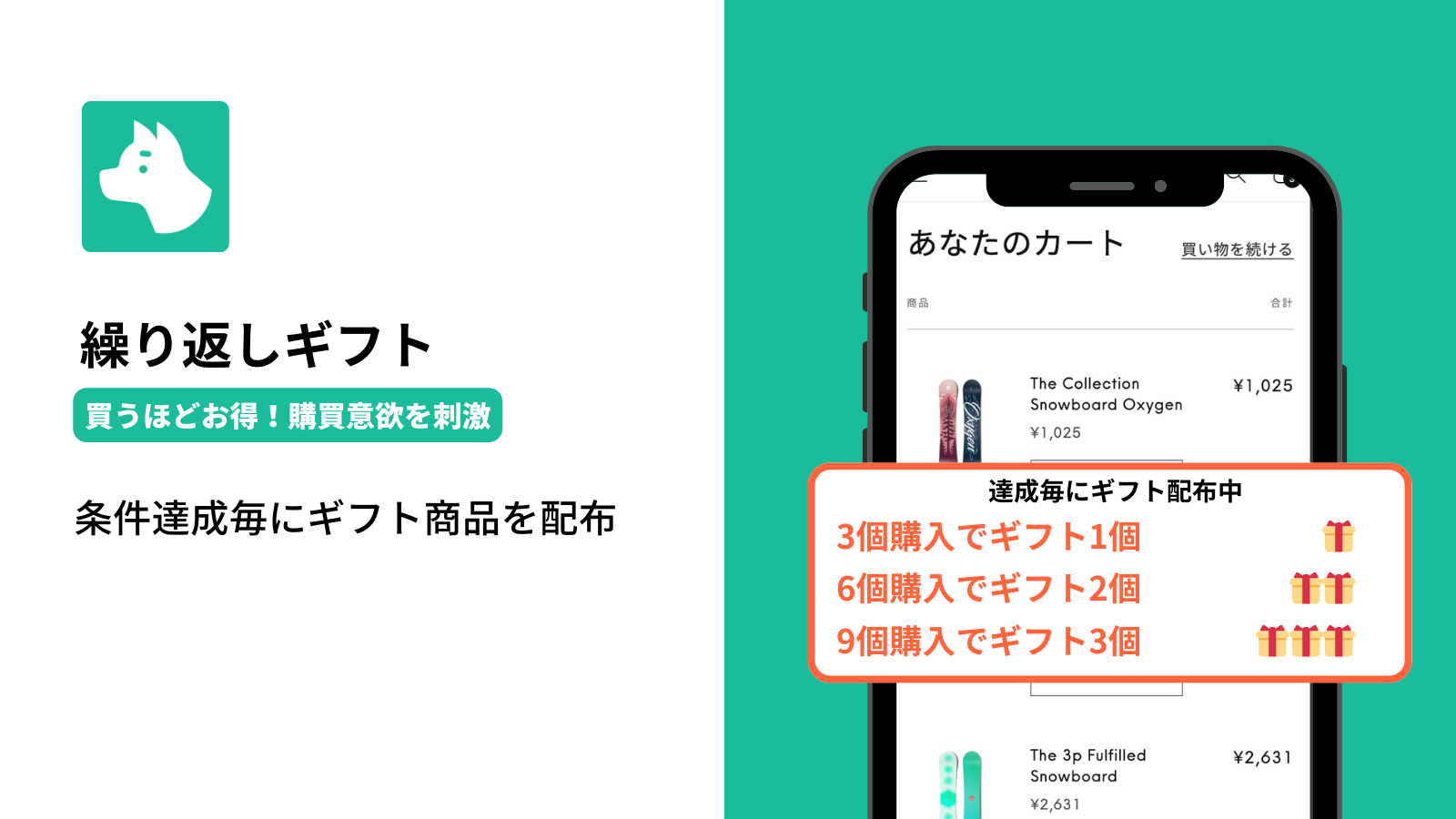
繰り返しギフトは条件達成ごとに、カートへ自動追加されます。
繰り返しギフトは小計金額を繰り返し条件にできます。
端数調整は注文割引と商品割引に対応し、配送割引には対応しません。切り上げ・切り捨てと調整単位を設定できます。調整後の価格が0円以下になる場合などは調整がスキップされます。
商品カードバッジはキャンペーン期間中のみ表示できます。埋め込みアプリとキャンペーンの表示設定が必要です。
商品カードバッジには期間中のテキストを設定します。開始前・終了後は表示されず、バリアント単位で対象を指定することはできません。
商品メッセージの価格変数は商品割引キャンペーンで使用できます。商品ページへのアプリブロック追加と表示設定が必要です。選択中のバリアントに応じて価格が更新されます。
商品メッセージの表示期間をキャンペーンの有効期間とは別に設定し、開始前のバッジテキストを用意する例です。商品カードバッジは開始前には表示されません。
顧客タグなどを使って対象会員を指定します。
会員ランクに応じた顧客情報を条件にします。
ランクごとに割引キャンペーンを設定する例です。
一般のお客様には適用しない設定例です。
顧客情報を条件に、特典を配布しない会員を指定します。
数量の対象は全商品・コレクション・特定商品などから設定できます。
まとめ買いの数量に応じて特典を増やす例です。
特定の商品を購入する動機づけとして使えます。
対象コレクションの購入数量を条件にします。
会員条件と数量条件を組み合わせる例です。
期間外は割引を適用しません。
期間の開始と終了を設定する例です。
対象商品とキャンペーン期間の両方を設定します。
季節に合わせて新商品の試用を促す例です。
金額は設定例です。割引との併用時は、送料割引の判定金額に注意が必要です。
購入金額が上がるほど割引率を上げる例です。
対象外の商品は条件の集計に含めない設定例です。
金額に応じたシンプルギフトの例です。
顧客情報と購入金額の条件を組み合わせます。
既存顧客には適用しない例です。
注文回数に合わせて特典を変える例です。
過去の購入額を条件にした例です。
合計利用回数の制限は手動適用の割引コードで使う設定例です。
顧客ごとの利用回数の制限は手動適用の割引コードで使う設定例です。
手動適用の割引コードで合計利用回数を10回に設定します。1人1回の制限も併用できます。
No use cases match. Try another search.
![[Demo] Quantity-Based Discounts](http://ruffruff.app/cdn/shop/files/ruffruff-order-bonus-icon.png?v=1750731771&width=1200)
![[Demo] Socks (Pink) - 10% Off When You Buy 3+ Pairs of Socks](http://ruffruff.app/cdn/shop/files/3_10_OFF.png?v=1754877393&width=1080)
![[Demo] Socks (Blue) - 10% Off When You Buy 3+ Pairs of Socks](http://ruffruff.app/cdn/shop/files/3_10_OFF_7669a302-3648-4683-a139-d7b1e67b1f8d.png?v=1754877399&width=1080)
![[Demo] Socks (Yellow) - 10% Off When You Buy 3+ Pairs of Socks](http://ruffruff.app/cdn/shop/files/3_10_OFF_5e4f7780-804f-4c81-a749-7580b462d9f3.png?v=1754877635&width=1080)
![[DEMO] Get a free pen in your favorite color with the purchase of a pencil case](http://ruffruff.app/cdn/shop/files/3643216836bd34c08b098cf05b44ed3e.png?v=1763621021&width=1080)
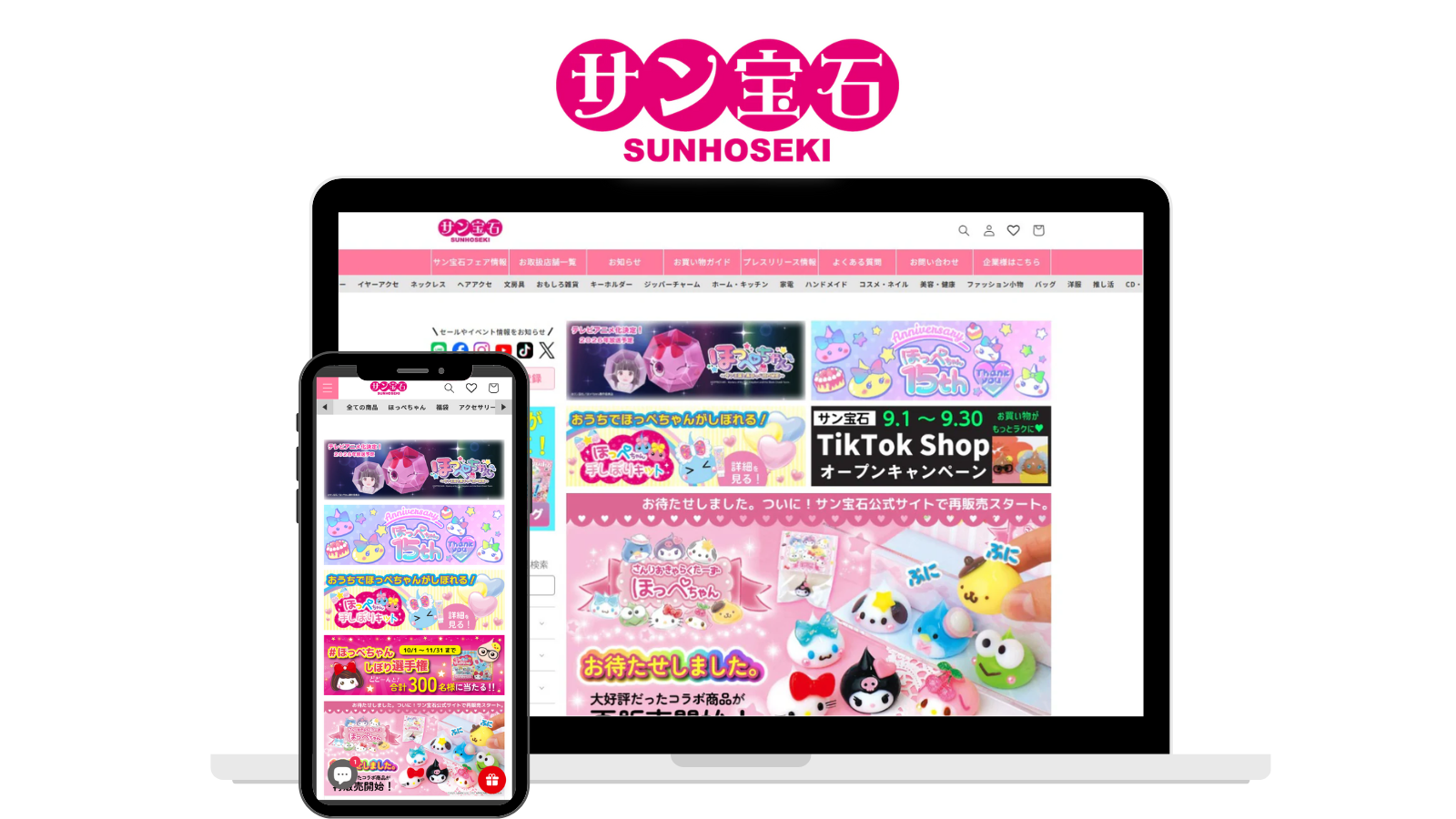
Sun Jewelry
Using RuffRuff Order Bonus to implement volume discounts and free-shipping promotions that encourage customers to buy in bulk.
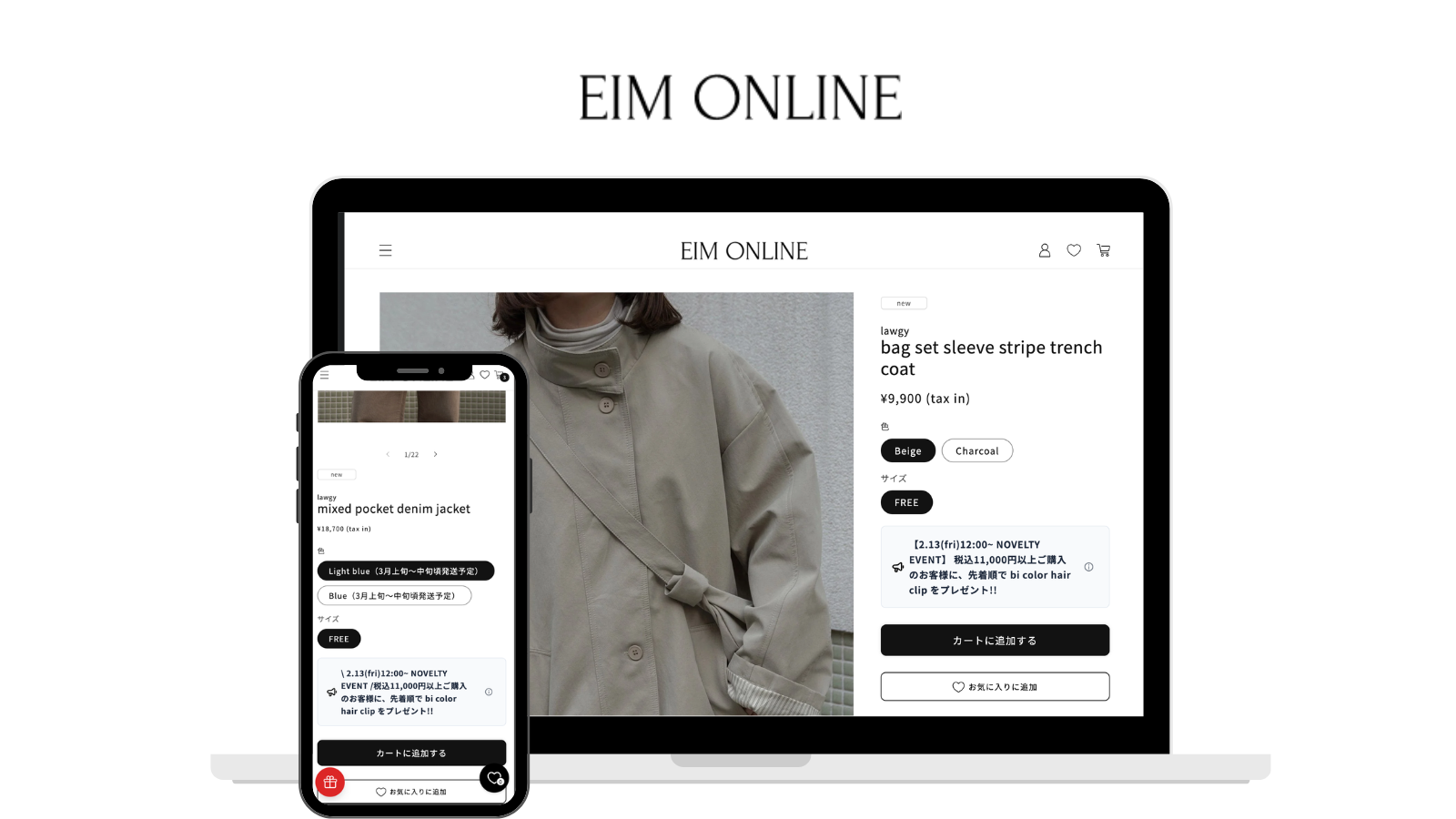
EIM ONLINE
Using RuffRuff Order Bonus to implement a first-come, first-served (limited-quantity) gift-with-purchase promotion for orders over ¥11,000.
FAQ
There is a 3-day free trial period.
Development stores can use all features for free.
Yes, it's available. We provide implementation support via email. If you have any questions about app installation, please contact us through the inquiry form.
Yes, it can. You can also use it with Vintage themes.