
When running an online store, delivery limits are an important element for improving the customer experience and promoting business efficiency. By restricting product delivery based on specific conditions, risk management and target marketing become possible, allowing companies to provide better service.
This article explains in detail the basic concept of delivery limits, their benefits, specific use cases, and how to set up delivery limits using Shopify.
What Are Delivery Limits?
A delivery limit is a mechanism that restricts the range in which a product can be delivered, based on specific conditions. This clarifies service provision in specific regions or the handling of specific products.
For example, you can hide domestic delivery when the shipping destination is overseas, or restrict a specific delivery service to only high-value orders. This feature streamlines online store operations and contributes to improved customer service.
Benefits of Using Delivery Limits
Introducing delivery limits brings the following benefits to a business. By leveraging these advantages, delivery limits play an important role in corporate strategy, achieving both customer satisfaction and business growth at the same time.
Improved customer experience
By clarifying the pickup/delivery method for specific products, customers can more easily choose the method that best suits them, resulting in a smoother purchasing experience.
Stronger risk management
By hiding delivery methods with a low compensation limit when purchasing high-value products, you can offer safer options and prevent fraud and trouble.
Building an efficient regional strategy
By setting delivery limits for specific regions, you can reduce wasted resources and respond quickly to local customers.
Implementing target marketing
By offering a special delivery method for VIP members, you can increase customer satisfaction, boost loyalty, and encourage repeat purchases.
Reducing logistics costs
By setting delivery limits for excess weight, you can select a rational delivery method, reduce trouble during shipping, and cut operational costs.
Use Cases for Delivery Limits
Delivery limits by product
Restrict pickup/delivery methods such as in-store pickup for specific products or collections
Delivery limits for high-value purchases
When the cart amount is high, hide delivery methods with a low compensation limit, such as Nekopos
Delivery limits for specific regions
For overseas shipping, hide delivery methods that only support domestic shipping
Special treatment for specific customer segments
Hide special-price delivery methods for regular members, and show special-price delivery methods only to VIP members
Delivery limits for excess weight
Based on the total weight in the cart, hide delivery methods that exceed the weight limit
Recommended Shopify App for Delivery Limits
RuffRuff Order Limits
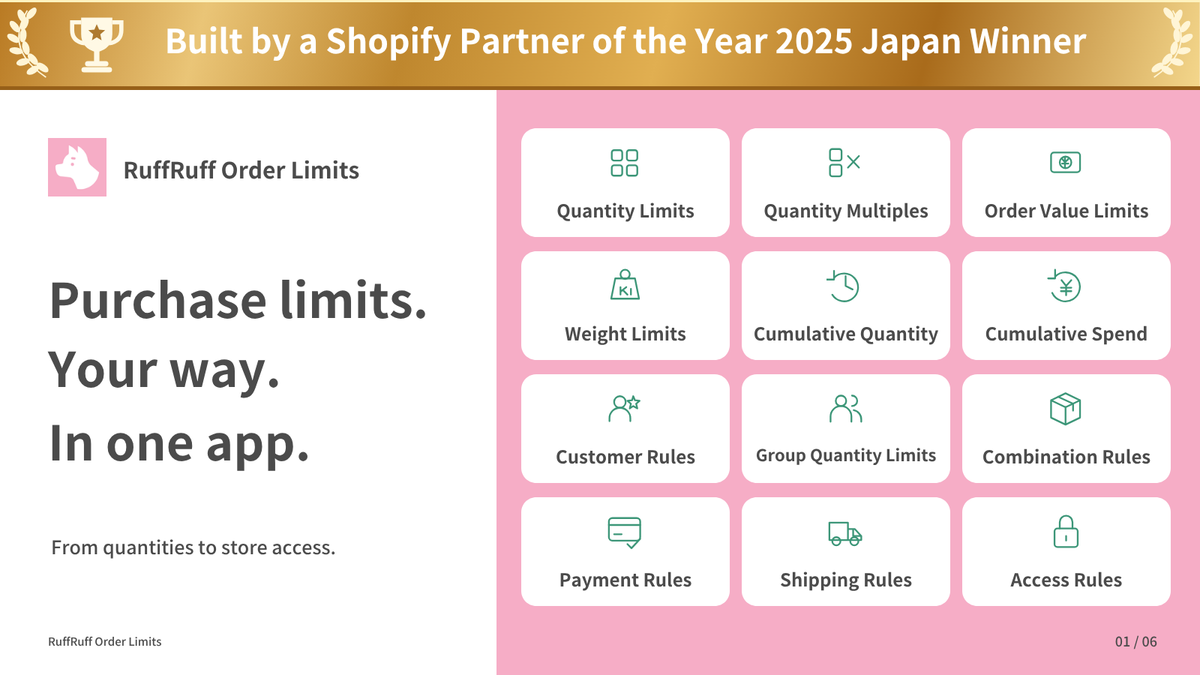
RuffRuff Order Limits is a Shopify app that lets you easily set up various limits related to product purchases. It supports a wide range of purchase conditions, including quantity limits, multiple limits, price limits, delivery limits, bundle limits, customer limits, payment limits, access limits, and password limits.
With the delivery limit feature, you can use the following options:
- Supports 3 delivery types: You can control "Pickup in store," "Shipping," and "Local delivery," which can be set up in a Shopify store.
- Eligible items settings: You can flexibly choose the products the delivery limit applies to from "All items," "Specific collections," "Specific products," and "Specific product tags."
- Various condition settings: You can set various conditions such as language, shipping destination country, customer tags, weight, and subtotal amount.
- Weight unit selection: You can select the weight unit used for the limit from "Grams (g)," "Kilograms (kg)," "Pounds (lb)," and "Ounces (oz)."
By using RuffRuff Order Limits, you can set up flexible delivery limits tailored to your business needs. Please give it a try.
How to Implement a Delivery Limit
In this section, we'll show you how to use RuffRuff Order Limits to "hide Local delivery when the total weight in the cart is 30kg or more."
Depending on the total weight in the cart, the following behavior occurs.
- Total weight in cart under 30kg: Local delivery is shown
- Total weight in cart 30kg or more: Local delivery is hidden
Step 1: Set Up the App
For this, we'll use the Shopify app RuffRuff Order Limits.
* If you have already completed the preparation for RuffRuff Order Limits, skip this stage and proceed to Step 2.

(1) Install RuffRuff Order Limits from the Shopify App Store
You can find "RuffRuff Order Limits" by searching for "ruffruff" on the Shopify App Store.

(2) Open the app and select "Pricing plan" from the left menu
Using the app may require a paid plan. Subscribe to the plan that suits your business size and required features.
(3) Click "Change plan" for the plan you want to subscribe to

(4) Review the plan details and click "Approve"

(5) From the Shopify admin, go to "Online Store"
(6) Select "Themes" and click "Customize"

(7) Select "App embeds" on the left of the screen
(8) Enable the embedded app named "RuffRuff Order Limits"
(9) Click "Save"
Step 2: Create a Delivery Rule

(1) Select "Delivery rules" from the app's left menu
(2) Click "Create rule"

(3) Set any name in the title to manage it within the app
(4) Check "Local delivery" in the delivery options

(5) Select "Specific orders" in the Order section
(6) Enter "30" for the minimum weight
(7) Select "Kilograms (kg)" for the weight unit
(8) Click "Save"
Step 3: Enable the Delivery Rule

(1) Open the delivery rule created in Step 2
(2) Click "Enable"
That completes the setup.
Conclusion
Delivery limits are an important tool for improving customer satisfaction. By using them appropriately, businesses can provide efficient service and reduce risks associated with delivery. When running an online store, we recommend incorporating delivery limit features to achieve flexibility tailored to your business needs. This will help you maintain competitiveness while building good relationships with your customers.


![[Shopify] How to Offer Exclusive Sales for LINE Members | Using CRM PLUS on LINE × RuffRuff Pre Order](http://ruffruff.app/cdn/shop/files/exclusive-sales-conducted-for-line-members-using-crm-plus-on-line-en-thumbnail-20261028-b7.png?v=1793178536&width=1600)
![[Shopify] How to Run Exclusive Sales for LINE-Linked Members | A Use Case of Lipify × RuffRuff Pre Order](http://ruffruff.app/cdn/shop/files/exclusive-sales-conducted-for-line-members-using-lipify-en-thumbnail-20261028-b7.png?v=1793178525&width=1600)