Campaigns like "free novelty gift over a certain amount" are effective at raising average order value. But have you ever left the gift's color or type up to chance, only to disappoint a customer whose gift wasn't the color they wanted?
If customers can choose the gift they actually want, it feels like more than just a bonus item, and can significantly boost customer satisfaction.
In this article, we'll show you how to use the Shopify app "RuffRuff Order Bonus" to let customers who meet a condition choose their preferred gift product right in the cart. No complex development is required — it's all done through the app's settings.
What Is a Choice Gift?
The choice gift introduced in this article is a campaign where, once a condition is met, the customer picks their preferred gift from among several gift products.
By giving customers the freedom to choose, you can expect to see improved customer satisfaction.
The Recommended Shopify App for Choice Gifts
RuffRuff Order Bonus
RuffRuff Order Bonus is a Shopify app that lets you run all kinds of bonus campaigns under virtually any condition.
For example, you can run campaigns like the following:
- Free shipping exclusively for VIP members
- Discounts by membership tier
- Volume discounts
- A discount when a specific product is included
- A discount for customers with 10 or more past orders
- A first-come, first-served discount (20% off for the first 10 customers)
- A gift exclusively for members
- A sample given away with a specific product purchase
- A summer sample given away for a limited time in spring
- A free novelty gift for purchases of 10,000 yen or more
and more.
There are many more bonus campaigns you can run. For details, check the service page via the button below.
How to Set Up a Choice Gift
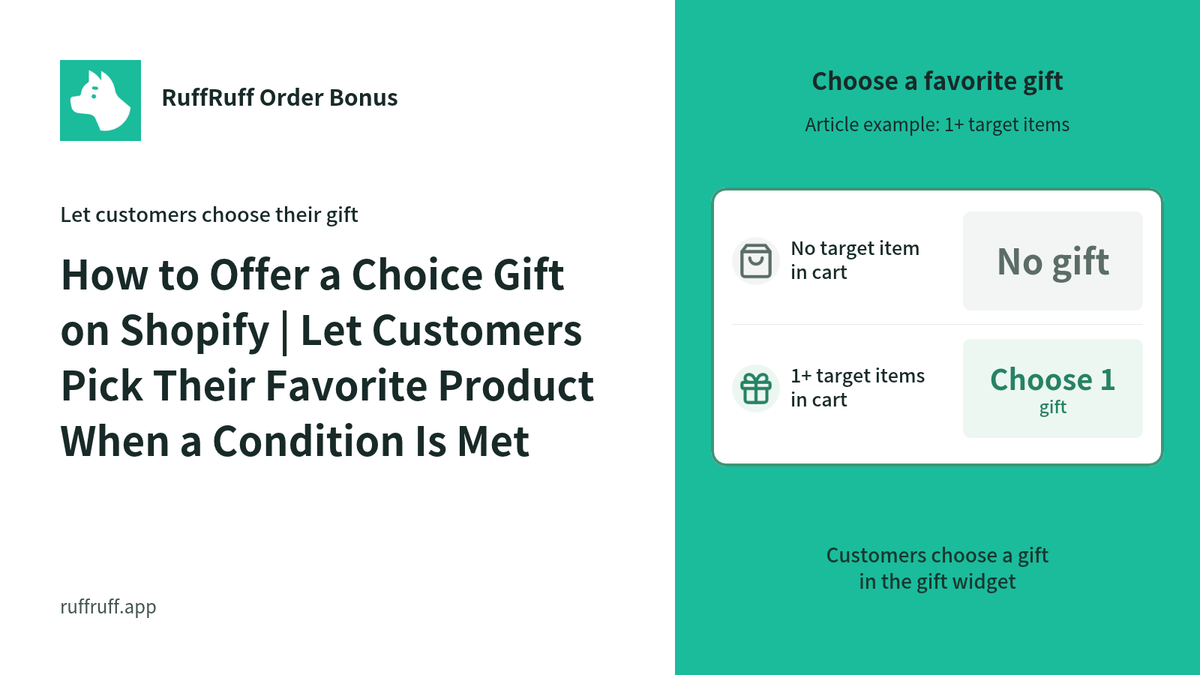
With the method introduced in this article, once a customer adds 1 or more of the target product to the cart, they can choose 1 gift product they like.
The page below is a demo product configured the same way. Please check the actual behavior.
Before You Start: Set Up the App
In this article, we'll show you how to use the Shopify app "RuffRuff Order Bonus" to distribute a free gift. If you haven't installed RuffRuff Order Bonus yet, please install it first.
Step 1: Enable the Embedded App

(1) From the setup guide on the app's Home page, click "Enable app in theme"
(2) Select the Shopify theme you want to add the app to from the dropdown
(3) Click "Enable app"

(4) Enable "RuffRuff Order Bonus" on the left side of the theme editor
(5) Change the design and text of the widget
(6) Click "Save" at the top right of the screen
Step 2: Create a Gift Campaign

(1) Click "Gifts" from the app's left-hand menu
(2) Click "Create campaign" from the gift campaigns list page

(3) Enter any name for the campaign
This is the name used to manage the gift campaign within the app.
(4) Set the period you want to run the campaign for in the active dates

(5) In the eligibility conditions, add a "Cart item quantity" condition
(6) Configure the following for the cart item quantity condition
- Select "Is greater than or equal to" and enter 1
- Select "Specific product" and choose the target product

(7) Configure the gift product in the gift settings
- Select "Choice gift"
- Gift product name: enter any name
- Add a variant
- Variant's component product: add the product and quantity to give away

(8) Enable "Show in widget" in the display settings
* With a choice gift, customers pick the product inside the widget, so you must set it to display the widget.
(9) Enter the campaign title and campaign description

(10) Check the validations you need in "Validations"
Change the alert message if needed.
(11) Click "Save"
Step 3: Activate the Gift Campaign

(1) Open the campaign you created in Step 2
(2) Click "Activate"
That's all there is to the setup.
In Closing
In this article, we introduced how to use the Shopify app "RuffRuff Order Bonus" to set up a gift campaign that lets customers choose their preferred product.
Rather than simply handing customers a gift, giving them the experience of "choosing it themselves" makes shopping more enjoyable, and can also increase brand attachment and motivation for a repeat purchase.
This can be applied to all kinds of campaigns depending on your idea, such as giving away items in different colors or samples in different flavors. Please use this setup as a reference to run a "choice gift" campaign that delights your customers.


![[Shopify] How to Offer Exclusive Sales for LINE Members | Using CRM PLUS on LINE × RuffRuff Pre Order](http://ruffruff.app/cdn/shop/files/exclusive-sales-conducted-for-line-members-using-crm-plus-on-line-en-thumbnail-20261028-b7.png?v=1793178536&width=1600)
![[Shopify] How to Run Exclusive Sales for LINE-Linked Members | A Use Case of Lipify × RuffRuff Pre Order](http://ruffruff.app/cdn/shop/files/exclusive-sales-conducted-for-line-members-using-lipify-en-thumbnail-20261028-b7.png?v=1793178525&width=1600)