Running a Shopify store means discount campaigns that boost purchase intent are extremely important. Among them, "first-come, first-served discounts" reward customers based on the timing of their purchase, making shopping activity even more active.
In this article, we'll introduce the specific steps for setting up a first-come, first-served discount using the Shopify app "RuffRuff Order Bonus."
What Is RuffRuff Order Bonus?
RuffRuff Order Bonus is a Shopify app that lets you run a wide variety of discount campaigns based on virtually any condition.
For example, you can set up discounts like the following:
- Free shipping on first orders
- Volume discounts
- Limited-time sales for a specific collection only
- Free shipping on orders over ¥10,000
- Half-price shipping for 5+ items, free shipping for 10+ items
- Discounts by membership tier
and more
The Result
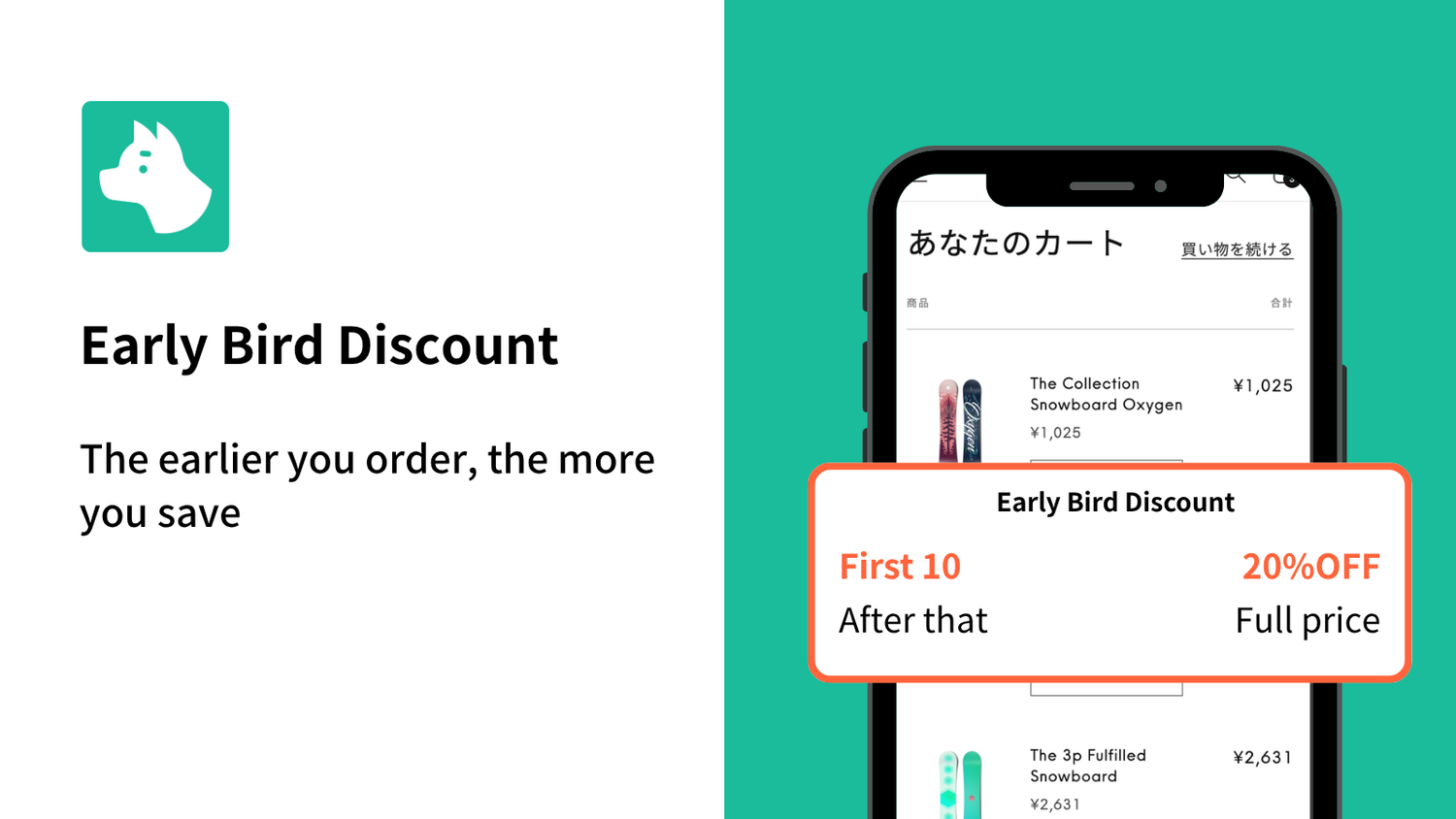
- First 10 customers → 🈹 20% off
- 11th customer onward → No discount
How to Set Up a First-Come, First-Served Discount
In this section, we'll show you how to set up a first-come, first-served discount using RuffRuff Order Bonus.
Preparation: Set Up the App
If you've already installed and set up "RuffRuff Order Bonus," please skip ahead to Step 1 below.
Enable the App Embed

(1) Click "Enable app embed in your live theme" from the Setup guide on the app's top page.
(2) From the select box, choose the Shopify theme you want to add the app to
(3) Click "Enable app"

(4) Enable "RuffRuff Order Bonus" on the left side of the theme editor screen
(5) Click "Save" in the upper right corner of the screen
Step 1: Create a Campaign for 20% Off for the First 10 Customers

(1) Select "Discounts" from the left menu of the app.
(2) Click "Create campaign"

(3) Under Application method, select "Manual"
(4) Enter any name for the Campaign name and Discount code
(5) In Active dates, set the period during which you want to run the campaign
(6) Do not set any Eligibility conditions

(6) Configure the following in the discount settings
- Select Order discount
- Select "Percentage"
- Enter "20%"
(7) In Display settings, enter the campaign information you want to show in the widget
(8) Check "Limit total number of uses for this campaign" and enter "10"
(9) Check "Limit to one use per customer"
(10) Click "Save"
Step 2: Activate the Campaign

(1) Open the campaign you created in Step 1
(2) Click "Activate"
Advanced Use Cases
How to Offer a First-Come, First-Served Discount for Specific Products or Collections Only

This can be achieved in the discount settings by using Product discount and setting the products (or collections) eligible for the discount.
How to Offer a First-Come, First-Served Shipping Discount

This can be achieved in the discount settings by using Shipping discount and setting a discount percentage for each campaign.
How to Offer a First-Come, First-Served Discount to Specific Customers Only

By using "Customer tag" or "Customer metafield" under Eligibility conditions, you can offer first-come, first-served discounts limited to specific customers only (for example, gold members only).
In Closing
With "RuffRuff Order Bonus," you can easily run first-come, first-served discount campaigns on Shopify. Because you can freely configure discount settings, usage limits, and target products or customers, it can be used for a wide range of sales and customer acquisition campaigns. Discounts with complex conditions that used to be difficult are now easy to set up. Take this opportunity to install the app and use it as a mechanism to boost sales and win repeat customers.
Finally, the blog article below introduces representative discount strategies you can achieve on Shopify. Find the strategy that's the perfect fit for your store and get a head start on boosting your sales.