Are you facing challenges like "a particular product sells out immediately," "I want to prevent high-priced resale," or "I want to offer a special sale to VIP customers only" in your Shopify store?
This article focuses on a powerful ally that solves these kinds of problems: order limiting apps.
We thoroughly compare and explain 9 Shopify order limiting apps in terms of features, pricing, Japanese language support, and even support for the Cart and Checkout Validation API. You are sure to find the best option and tips for success that will take your store management to the next level.
Types of order limits
Quantity limits
Quantity limits restrict the number of units that can be purchased in a single order. They prevent excessive purchases of a particular product and make inventory management more efficient. For example, flexible settings are possible, such as "1 to 5 units per order" or "purchase in multiples of 3 units."
Apps that support this include "RuffRuff Order Limits" and "Minmaxify Order Limits."
Click here for how to implement quantity limits on Shopify

Price limits
Price limits restrict the purchase amount for a single order. This makes it possible to offer sales limited to customers who meet certain conditions. For example, a wide range of settings are possible, such as "minimum purchase amount of 5,000 yen or more" or "restrict purchases of 100,000 yen or more."
Apps that support this include "RuffRuff Order Limits" and "OC Quantity Breaks Order Limit."
Click here for how to implement price limits on Shopify

Weight limits
Weight limits restrict the total weight that can be purchased in a single order. They help optimize shipping costs and improve logistics efficiency. For example, a setting such as "total weight of 10kg or less per order" is possible.
Apps that support this include "RuffRuff Order Limits" and "Minmaxify Order Limits."
Click here for how to implement weight limits on Shopify

Selling period limits
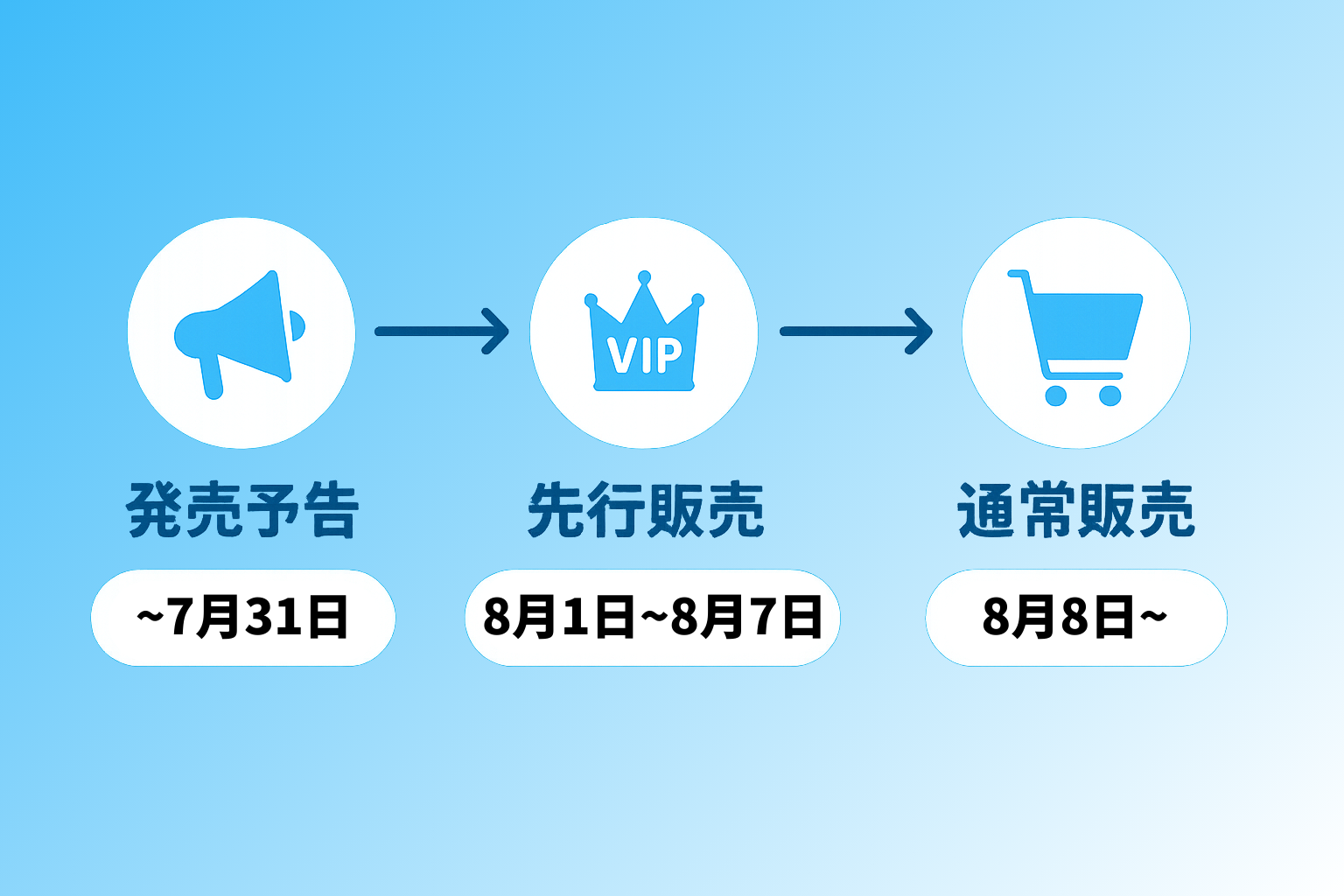
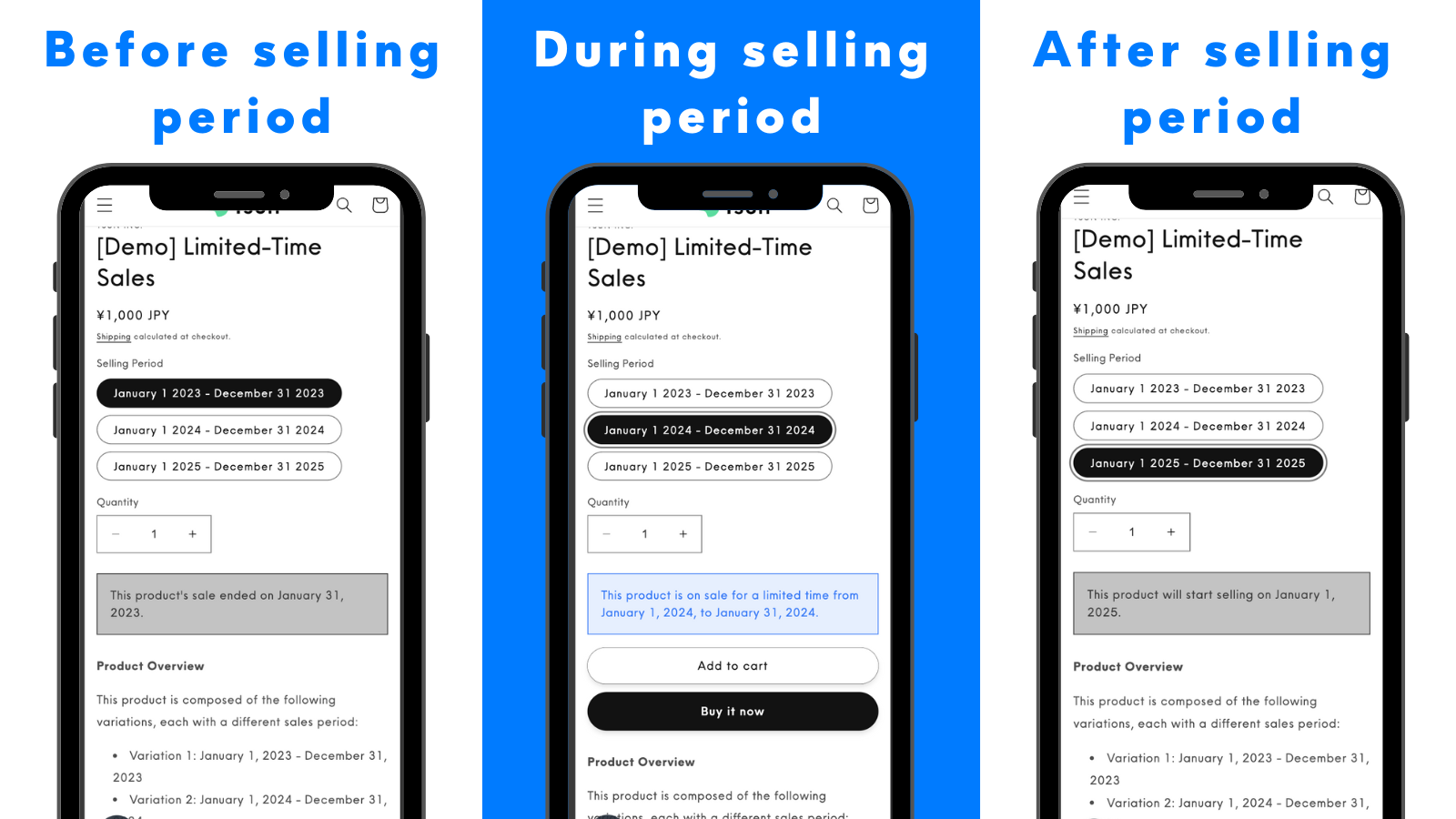
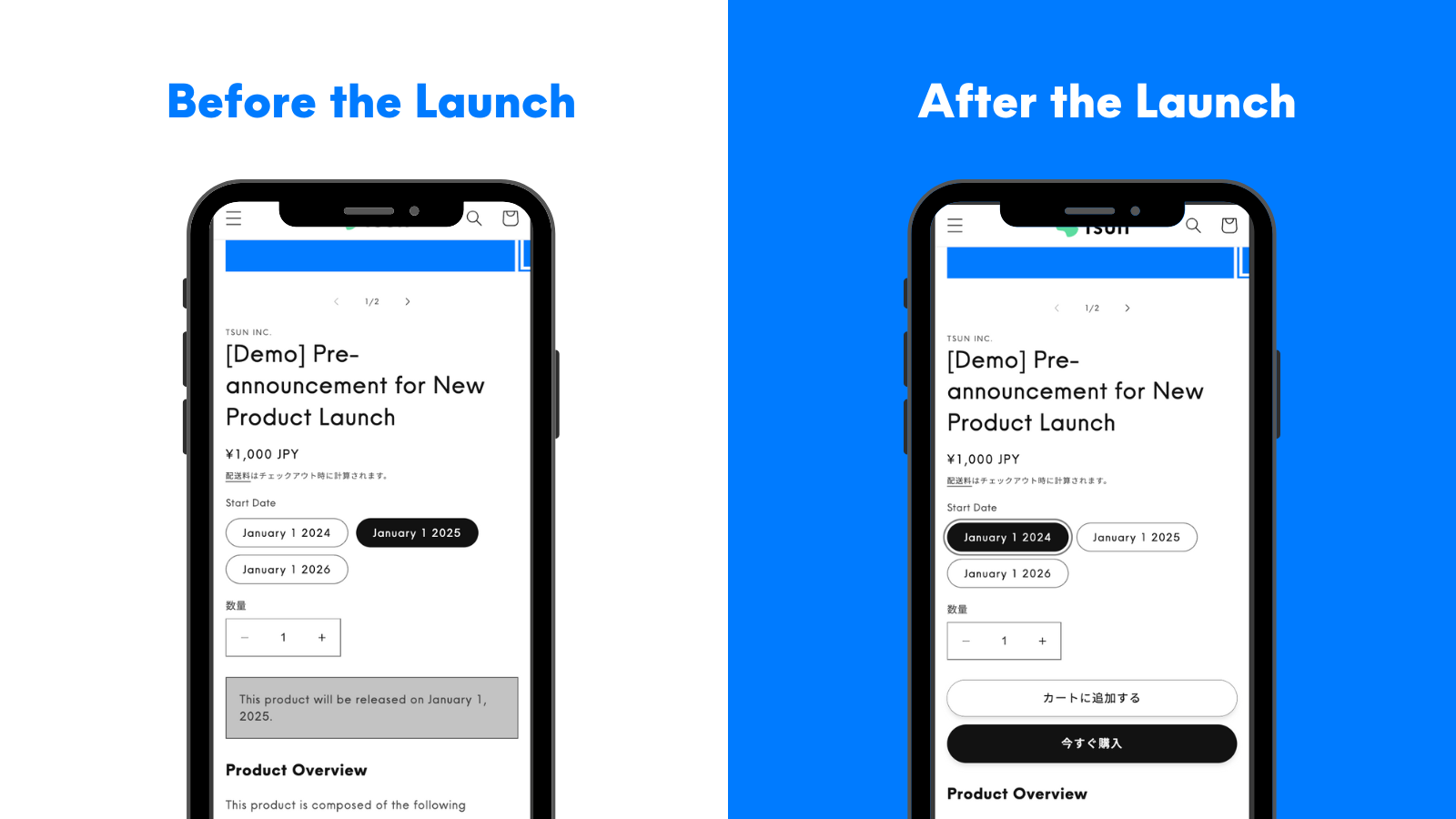
Selling period limits restrict the sales period of a product. They make it easy to run limited-time sales or announce upcoming product releases. "RuffRuff Selling Periods" and "RuffRuff Pre-Orders" support this with simple settings.
Click here for how to run release announcements or limited-time sales on Shopify


Payment limits
Payment limits are restrictions that hide specific payment methods. They let you flexibly offer payment methods depending on the customer or conditions. For example, settings such as "hide credit card payment for high-priced items" or "hide convenience store payment for pre-order items" are possible. This feature is supported by "RuffRuff Order Limits" and others.
Click here for how to automatically hide payment methods on Shopify

Delivery limits
Delivery limits are restrictions that hide or disable specific delivery methods. They let you offer the appropriate delivery method depending on the conditions. For example, settings such as "hide Click Post for high-priced items" or "hide in-store pickup for items shipped directly from the manufacturer" are possible. This feature is supported by "RuffRuff Order Limits" and others.
Click here for how to implement delivery limits on Shopify

Access limits
Access limits restrict access to specific pages. They make it possible to offer limited sales based on region, time of day, or purchase history. For example, settings such as "product pages accessible only from a specific region" or "specific products accessible only to VIP customers" are possible. This feature can be achieved with "Locksmith."
With "RuffRuff Order Limits," you can specify the access scope at the product, collection, or product tag level, and configure whether the page is exposed to guests, logged-in customers, or password holders. You can further narrow down the target audience using an allow/deny list based on customer tags. However, condition settings based on region, time of day, or purchase history are not supported.
Click here for how to implement access limits or password restrictions on Shopify


Bundle limits
Bundle limits are a feature that prevents a specific product from being purchased together with other products. They allow strict control over the sales conditions of a specific product. They can handle a variety of cases, such as "pre-order items cannot be purchased together with regular items," "cannot be purchased individually," or "cannot be bundled with other products."
This feature is supported by "RuffRuff Order Limits," "RuffRuff Pre-Orders," and others.
Click here for how to implement bundle limits on Shopify


Customer limits
Customer limits are a feature that restricts purchases for specific customers. You can set restrictions according to customer attributes, such as "sales limited to VIP members only" or "purchase restrictions for blacklisted members."
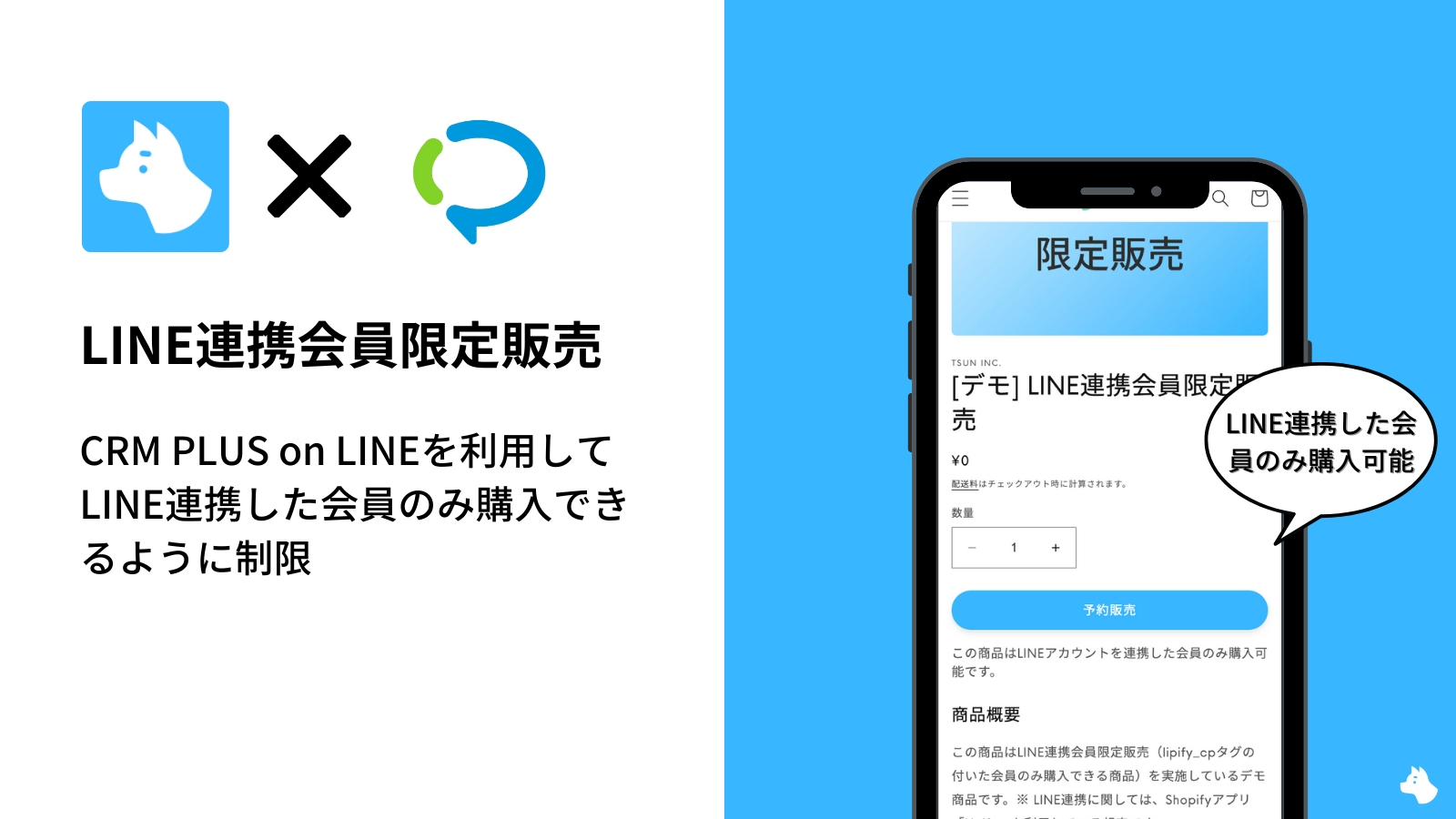
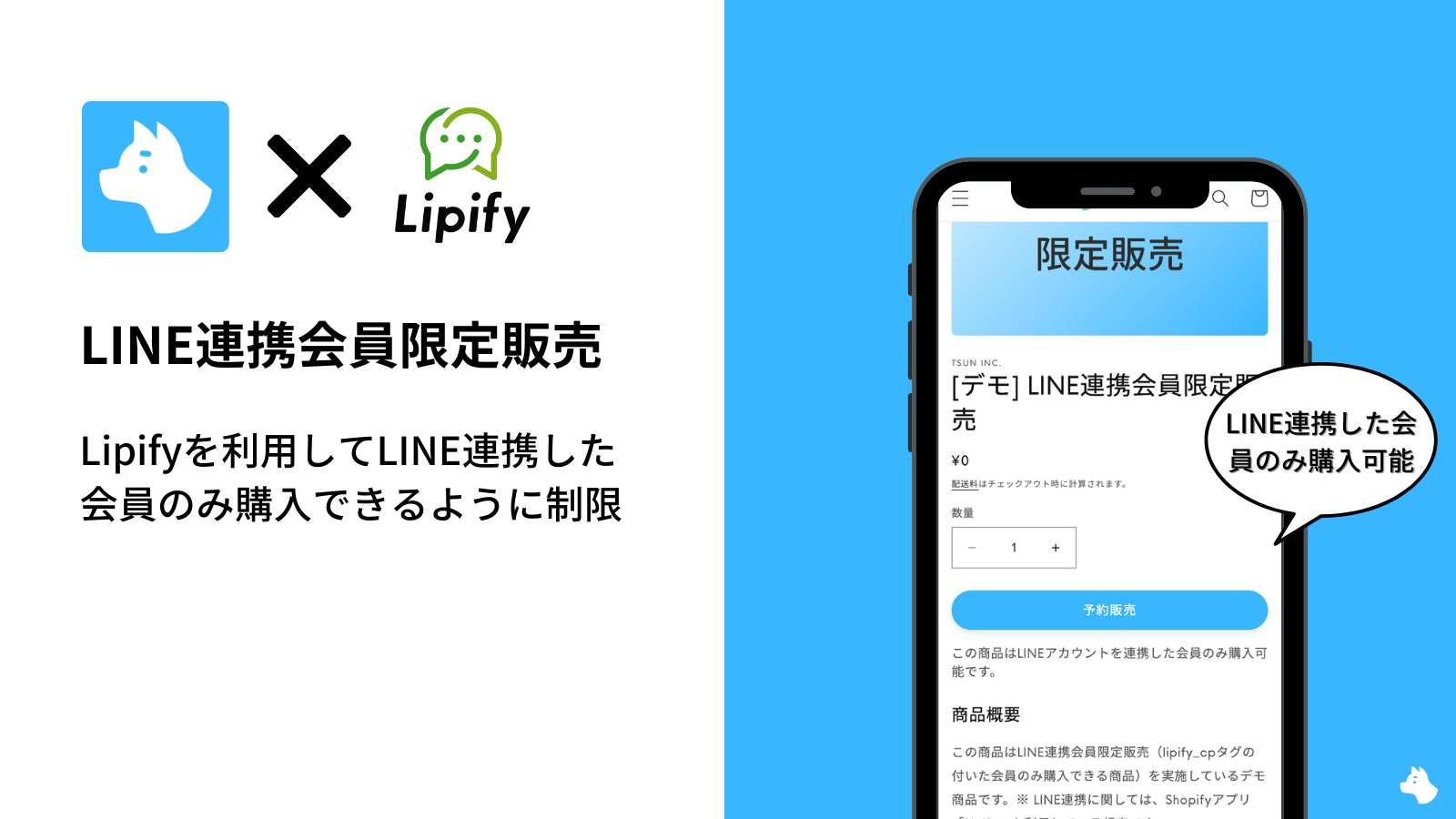
With "RuffRuff Order Limits" and "RuffRuff Pre-Orders," you can achieve member discounts, VIP-member-only sales, blacklist restrictions, and more.
Click here for how to run VIP-member-only sales on Shopify

Age limits
Age limits are a feature that restricts the age of purchasers for a specific product. For products whose sale is legally restricted, such as alcohol or tobacco, age verification can be performed on the cart page.
Click here for how to implement age limits on Shopify

9 Recommended Order Limiting Apps
RuffRuff Order Limits
This is an all-in-one app that achieves every kind of order limit in one place. It supports quantity limits, price limits, bundle limits, customer limits, payment limits, delivery limits, and access limits, and it is the first in Japan to adopt the Cart and Checkout Validation API, achieving more robust validation processing than existing apps.
Features
- Provided by a Japanese company, so reliable Japanese language support
- Provides 11 standard limit features across 8 categories in a single app. The Full plan also includes cumulative quantity rules
- Prevents unauthorized purchases through adoption of the Cart and Checkout Validation API
Supported order limits
| Type of order limit | Supported |
|---|---|
| Product-specific quantity limits | ✅️ Light or higher |
| Quantity rules (per order) | ✅️ Light or higher |
| Cumulative quantity rules (across orders) | ✅️ Full only |
| Price limits | ✅️ |
| Weight limits | ✅️ |
| Selling period limits | - |
| Payment limits | ✅️ |
| Delivery limits | ✅️ |
| Access limits | ✅️ |
| Bundle limits | ✅️ |
| Customer limits | ✅️ |
| Age limits | - |
Pricing plans
| Plan name | Price | Details |
|---|---|---|
| Light (monthly) | From $9.9/month | Standard features except cumulative quantity rules |
| Light (annual) | From $99/year | Standard features except cumulative quantity rules Saves the equivalent of 2 months |
| Full (monthly) | From $29.9/month | All Light features plus cumulative quantity rules |
| Full (annual) | From $299/year | All Light features plus cumulative quantity rules Saves the equivalent of 2 months |
Pricing varies based on your Shopify plan. The prices shown apply to new subscriptions. See the RuffRuff Order Limits pricing plans for details.
| Shopify plan | Light (monthly / annual) | Full (monthly / annual) |
|---|---|---|
| Basic, Starter, or Trial | $9.9 / $99 | $29.9 / $299 |
| Grow or Retail | $13.9 / $139 | $34.9 / $349 |
| Advanced | $19.9 / $199 | $39.9 / $399 |
| Plus or Plus Trial | $29.9 / $299 | $49.9 / $499 |
Annual billing saves the equivalent of two months.
RuffRuff Selling Periods

This is a simple Shopify app for setting a selling period on a product. It achieves "release announcements" or "limited-time sales" in just 3 steps. It is the first selling-period app to adopt the Cart and Checkout Validation API, making it more robust than existing apps.
Features
- Provided by a Japanese company, so reliable Japanese language support
- Achieves release announcements and limited-time sales with simple settings
- Robust validation processing through adoption of the Cart and Checkout Validation API
Supported order limits
| Type of order limit | Supported |
|---|---|
| Quantity limits | - |
| Price limits | - |
| Weight limits | - |
| Selling period limits | ✅️ |
| Payment limits | - |
| Delivery limits | - |
| Access limits | - |
| Bundle limits | - |
| Customer limits | - |
| Age limits | - |
Pricing plans
| Plan name | Price | Details |
|---|---|---|
| Lite (monthly billing) | $9/month | All features |
| Lite (annual billing) | $90/year | All features 2 months cheaper than monthly billing |
RuffRuff Pre-Orders

This is a Shopify app that achieves pre-order sales with simple settings. It has been certified by Shopify as a "Built for Shopify" app, a mark of the highest quality. It supports every type of sales format, including limited-time sales, release announcements, recurring sales, made-to-order pre-orders, member discounts, VIP-only sales, discounted sales, and pay-later, and it can also achieve bundle control, quantity limits, customer limits, and selling period limits.
Features
- Provided by a Japanese company, so reliable Japanese language support
- A top-quality app certified as "Built for Shopify"
- Supports a wide variety of sales formats, including pre-orders
Supported order limits
| Type of order limit | Supported |
|---|---|
| Quantity limits | ✅️ |
| Price limits | - |
| Weight limits | - |
| Selling period limits | ✅️ |
| Payment limits | - |
| Delivery limits | - |
| Access limits | - |
| Bundle limits | ✅️ |
| Customer limits | ✅️ |
| Age limits | - |
Pricing plans
| Plan name | Price | Details |
|---|---|---|
| Starter | $9/month + 3% pre-order fee | All features |
| Basic | $52/month + 1% pre-order fee | All features |
| Pro | $199/month | All features |
Minmaxify Order Limits

Image source: Minmaxify Order Limits|Shopify App Store
This is a highly popular quantity-limiting app on Shopify. In addition to quantity limits such as "1 to 5 units," it also allows restrictions by weight and price, and settings for sales units (in multiples of 3, 5, etc.). Its group feature also supports more complex restriction rules.
Features
- Supports not only quantity limits but also price and weight limits
- Group feature enables more complex order limits
- Admin, help, and support are all English only
Supported order limits
| Type of order limit | Supported |
|---|---|
| Quantity limits | ✅️ |
| Price limits | ✅️ |
| Weight limits | ✅️ |
| Selling period limits | - |
| Payment limits | - |
| Delivery limits | - |
| Access limits | - |
| Bundle limits | - |
| Customer limits | - |
| Age limits | - |
Pricing plans
| Plan name | Price | Details |
|---|---|---|
| Standard | $10/month | Per-cart limits |
| Premium | $20/month | Checkout limits Rule and group settings Translation |
| Plus | $50/month | Checkout UI extension |
Locksmith

Image source: Locksmith|Shopify App Store
This is an app that implements restricted access and access-limiting features on a Shopify store. You can set access limits for any page — the entire store, products, collections, and more — and can achieve fine-grained control by combining conditions such as purchase count, time, and region.
Features
- Can make any page — products, collections, and more — restricted
- Supports conditional access limits based on purchase count, time, region, and more
- Admin, help, and support are all English only
Supported order limits
| Type of order limit | Supported |
|---|---|
| Quantity limits | - |
| Price limits | - |
| Weight limits | - |
| Selling period limits | - |
| Payment limits | - |
| Delivery limits | - |
| Access limits | ✅️ |
| Bundle limits | - |
| Customer limits | - |
| Age limits | - |
Pricing plans
| Plan name | Price | Details |
|---|---|---|
| Basic Shopify | $12/month | For stores on the Shopify Basic plan |
| Shopify | $29/month | For stores on the Shopify plan |
| Advanced Shopify | $99/month | For stores on the Shopify Advanced plan |
| Shopify Plus | $199/month | For stores on the Shopify Plus plan |
ℹ️ Locksmith's pricing follows the Shopify plan your own store is subscribed to.
Age Verification Supporter

Image source: Age Verification Supporter|Shopify App Store
This is a Shopify app that achieves age limits on your online store. Age verification can be performed on the cart page, and it is also possible to set an age limit for each product.
Features
- Provided by a Japanese company, so reliable Japanese language support
- A simple, easy-to-understand single plan
- Supports setting age limits on a per-product basis
Supported order limits
| Type of order limit | Supported |
|---|---|
| Quantity limits | - |
| Price limits | - |
| Weight limits | - |
| Selling period limits | - |
| Payment limits | - |
| Delivery limits | - |
| Access limits | - |
| Bundle limits | - |
| Customer limits | - |
| Age limits | ✅️ |
Pricing plans
| Plan name | Price | Details |
|---|---|---|
| Basic | $9/month | All features |
OC Quantity Breaks Order Limit

Image source: OC Quantity Breaks Order Limit|Shopify App Store
This is a Shopify app that provides discount features and order-limiting features together. In addition to a variety of discount features such as quantity discounts, bundle discounts, and tiered pricing, it lets you set a maximum and minimum purchase quantity for each product.
Features
- Relatively affordable to use
- Equipped with both discount and order-limiting features
- Admin, help, and support are all English only
Supported order limits
| Type of order limit | Supported |
|---|---|
| Quantity limits | ✅️ |
| Price limits | ✅️ |
| Weight limits | - |
| Selling period limits | - |
| Payment limits | - |
| Delivery limits | - |
| Access limits | - |
| Bundle limits | - |
| Customer limits | ✅️ |
| Age limits | - |
Pricing plans
| Plan name | Price | Details |
|---|---|---|
| Free | Free | Quantity discounts Order limits on collections, products, and variants |
| Basic | $18/month | All order-limiting features Multiple discounts Discount labels Price range display |
| Advance | $20/month | All features |
MinMax Order Limits Limitsify

Image source: MinMax Order Limits Limitsify|Shopify App Store
This is a Shopify app that offers a variety of order limits — quantity limits, price limits, weight limits, and more — at an affordable price. It supports per-product quantity limits and customizable alert messages, and is ideal for cases where you need basic restriction features at minimal cost.
Features
- Available from as low as $4/month
- Supports price and weight limits in addition to quantity limits
- Admin, help, and support are all English only
Supported order limits
| Type of order limit | Supported |
|---|---|
| Quantity limits | ✅️ |
| Price limits | ✅️ |
| Weight limits | ✅️ |
| Selling period limits | - |
| Payment limits | - |
| Delivery limits | - |
| Access limits | - |
| Bundle limits | - |
| Customer limits | - |
| Age limits | - |
Pricing plans
| Plan name | Price | Details |
|---|---|---|
| Basic | $4/month | Some quantity-limit features available |
| Premium | $7/month | All features |
KOR Order Quantity Limits

Image source: KOR Order Quantity Limits|Shopify App Store
This is a Shopify app that offers order limits such as quantity limits, price limits, weight limits, and customer limits. The app store listing and admin screen support Japanese display, but the help center and customer support are English only. Likely due to the use of a translation tool, some awkward Japanese phrasing can be found. Its biggest appeal is the low starting price of $2.99/month.
Features
- Industry-lowest pricing: from $2.99/month
- Supports price and weight limits and customer limits in addition to quantity limits
- Partial Japanese display support (translation quality varies)
Supported order limits
| Type of order limit | Supported |
|---|---|
| Quantity limits | ✅️ |
| Price limits | ✅️ |
| Weight limits | ✅️ |
| Selling period limits | - |
| Payment limits | - |
| Delivery limits | - |
| Access limits | - |
| Bundle limits | - |
| Customer limits | ✅️ |
| Age limits | - |
Pricing plans
| Plan name | Price | Details |
|---|---|---|
| Basic | $2.99/month | Quantity limits for one collection Per-customer quantity limits Per-day quantity limits Price limits |
| Pro | $5.99/month | All features |
Comparing order limiting apps
When introducing order limits to your Shopify store, choosing the right app is an important decision. Each app excels at different features, so you need to make the best choice for your store's needs. This section compares the apps from the perspectives of "features," "language," "pricing," and "API support," and explains key points for choosing.
Comparison by supported order limits
| App name | Quantity limits | Price limits | Weight limits | Selling period limits | Payment limits | Delivery limits | Access limits | Bundle limits | Customer limits | Age limits |
|---|---|---|---|---|---|---|---|---|---|---|
| RuffRuff Order Limits | ✅️ | ✅️ | ✅️ | - | ✅️ | ✅️ | ✅️ | ✅️ | ✅️ | - |
| RuffRuff Selling Periods | - | - | - | ✅️ | - | - | - | - | - | - |
| RuffRuff Pre-Orders | ✅️ | - | - | ✅️ | - | - | - | ✅️ | ✅️ | - |
| Minmaxify Order Limits | ✅️ | ✅️ | ✅️ | - | - | - | - | - | - | - |
| Locksmith | - | - | - | - | - | - | ✅️ | - | - | - |
| Age Verification Supporter | - | - | - | - | - | - | - | - | - | ✅️ |
| OC Quantity Breaks Order Limit | ✅️ | ✅️ | - | - | - | - | - | - | ✅️ | - |
| MinMax Order Limits Limitsify | ✅️ | ✅️ | ✅️ | - | - | - | - | - | - | - |
| KOR Order Quantity Limits | ✅️ | ✅️ | ✅️ | - | - | - | - | - | ✅️ | - |
Comparison by Japanese language support
| App name | App store listing | Admin | Help center | Customer support |
|---|---|---|---|---|
| RuffRuff Order Limits | ✅️ | ✅️ | ✅️ | ✅️ |
| RuffRuff Selling Periods | ✅️ | ✅️ | ✅️ | ✅️ |
| RuffRuff Pre-Orders | ✅️ | ✅️ | ✅️ | ✅️ |
| Minmaxify Order Limits | - | - | - | - |
| Locksmith | - | - | - | - |
| Age Verification Supporter | ✅️ | ✅️ | ✅️ | ✅️ |
| OC Quantity Breaks Order Limit | - | - | - | - |
| MinMax Order Limits Limitsify | - | - | - | - |
| KOR Order Quantity Limits | △ | △ | - | - |
Comparison by pricing plan
| App name | Plan name | Price | Details |
|---|---|---|---|
| RuffRuff Order Limits | Light (monthly) | From $9.9/month | Standard features except cumulative quantity rules |
| Light (annual) | From $99/year | Standard features except cumulative quantity rules Saves the equivalent of 2 months | |
| Full (monthly) | From $29.9/month | All Light features plus cumulative quantity rules | |
| Full (annual) | From $299/year | All Light features plus cumulative quantity rules Saves the equivalent of 2 months | |
| RuffRuff Selling Periods | Monthly billing | From $9.9/month | All features |
| Annual billing | From $99/year | All features 2 months cheaper than monthly billing |
|
| RuffRuff Pre-Orders | Starter | $9/month + 3% pre-order fee | All features |
| Basic | $52/month + 1% pre-order fee | All features | |
| Pro | $199/month | All features | |
| Minmaxify Order Limits | Standard | $10/month | Per-cart limits |
| Premium | $20/month | Checkout limits Rule and group settings Translation |
|
| Plus | $50/month | Checkout UI extension | |
| Locksmith | Basic Shopify | $12/month | For stores on the Shopify Basic plan |
| Shopify | $29/month | For stores on the Shopify plan | |
| Advanced Shopify | $99/month | For stores on the Shopify Advanced plan | |
| Shopify Plus | $199/month | For stores on the Shopify Plus plan | |
| Age Verification Supporter | Basic | $9/month | All features |
| OC Quantity Breaks Order Limit | Free | Free | Quantity discounts Order limits on collections, products, and variants |
| Basic | $18/month | All order-limiting features Multiple discounts Discount labels Price range display |
|
| Advance | $20/month | All features | |
| MinMax Order Limits Limitsify | Basic | $4/month | Some quantity-limit features available |
| Premium | $7/month | All features | |
| KOR Order Quantity Limits | Basic | $2.99/month | Quantity limits for one collection Per-customer quantity limits Per-day quantity limits Price limits |
| Pro | $5.99/month | All features |
How to choose an order limiting app
If you want to combine multiple features
If you need [multiple restriction features] beyond just quantity limits, such as price limits, customer limits, and bundle limits, "RuffRuff Order Limits" is recommended. It lets you manage 7 types of limits in one place, reducing the hassle of subscribing to multiple apps.
If Japanese language support is important
If a Japanese-language support system is essential, the "RuffRuff series" [Order Limits, Selling Periods, Pre-Orders] or "Age Verification Supporter" is best suited. These offer [full Japanese language support], from the admin screen to the help center and customer support.
Whether it fits your budget
If you want to introduce basic order limits at a low price, "RuffRuff Order Limits," "RuffRuff Selling Periods," and "Minmaxify Order Limits" offer excellent cost performance.
If you want to introduce it at minimal cost
If you want to implement basic features at low cost, "KOR Order Quantity Limits" from $2.99/month or "MinMax Order Limits Limitsify" from $4/month are candidates. However, note that KOR requires attention to translation quality, and MinMax Limitsify is English only.
If you want to specialize in a specific feature
If you need only age limits, "Age Verification Supporter"; if you need only selling period limits, "RuffRuff Selling Periods"; if you need only access limits, "Locksmith" — choosing an app specialized for a specific feature lets you cut out unnecessary features and costs.
Whether it supports the Cart and Checkout Validation API
The Cart and Checkout Validation API is a purchase validation feature provided by Shopify. By choosing an app that supports this API, you can prevent unauthorized purchases in cases such as the following.
- Purchases made via a Buy Button (an externally embedded purchase button)
- Purchases made via third-party apps such as the Shop app
- Cases where someone attempts to purchase by manipulating code to reveal a hidden cart button
The "RuffRuff series" (Order Limits, Selling Periods, Pre-Orders) introduced in this article all support the Cart and Checkout Validation API, and can prevent unintended orders.
Conclusion
Order limits on a Shopify store are not merely an added feature — they are a strategic tool that improves inventory management efficiency, optimizes sales strategy, enhances customer experience, and maximizes revenue.
In this article, we have explained in detail 9 apps that support a wide variety of order limits, from quantity limits to age limits.
Choose wisely among apps like the "RuffRuff series" that offer both API support and robust Japanese-language support, and find the best app to strongly support your store's growth and build a more trustworthy e-commerce store.